Introduction
This article helps child care providers and directors choose clear, practical limits for young children’s screen use. Young children learn best through play, talking, and moving. Screens can help sometimes, but too much or the wrong kind of screen time can slow language, disturb sleep, and reduce face-to-face talk. You’ll see easy rules, tools to make screen time better, and ways to work with families. Remember: state requirements vary - check your state licensing agency.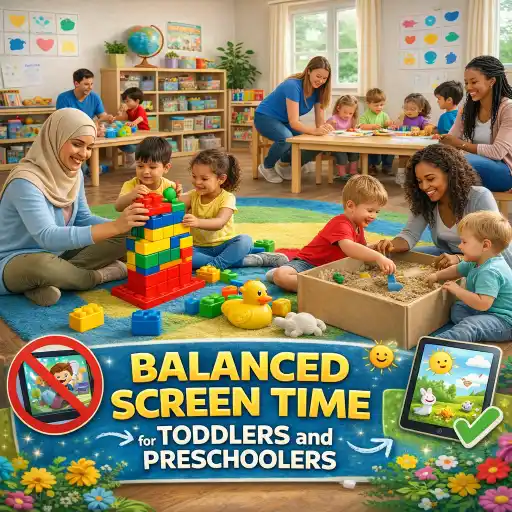
We use advice from trusted sources and from ChildCareEd to keep recommendations useful for the classroom and the family.
Important tags: in your #toddlers room, for #preschoolers, when planning #screentime with staff and #caregivers to set clear #limits.
1) What daily and classroom limits should we use for toddlers and preschoolers?
Short answer: keep it very small and purposeful.
Use these simple rules for group care:
- Under 18 months: avoid screens except live video chats with family (example: grandparent calls). This follows pediatric guidance and keeps daily routines focused on in-person care and play.
- 18–23 months: if used, only choose very short, high-quality videos and always co-view with an adult to help language and meaning.
- 2–5 years in care: limit passive viewing. For home, many experts say up to 1 hour a day of high-quality, co-viewed content. In group care, aim for very short, planned uses (like a 10–15 minute group song or movement video) and prefer hands-on follow-up activities. For stricter early care standards, see the CDC guidance on screen limits in early care settings: CDC HIOPS screen time limits.
- Meals and snacks: no screens. Background TV or devices reduces interaction and interrupts learning.
Citation: For child-friendly explanations and tips for 2–5 year olds see Nemours KidsHealth. For classroom balance ideas see ChildCareEd on balancing tech.
2) How can caregivers make the screen time that does happen high-quality and educational?
Why it matters: good content plus adult interaction can turn a short screen moment into language and thinking practice. Passive videos or background TV do not help and can hurt language and attention.
Use these steps in your program:
- Plan and limit: schedule any screen use into your daily plan. Make it short and timed (10–15 minutes). Use screens only for teaching goals (story, music, movement), not as free play.
- Co-view and talk: always sit with the children. Ask questions before, during, and after: “What did you see? Can you show me?” This turns media into conversation and supports vocabulary. Research shows adult interaction improves learning from screens (content & context matter).
- Follow with hands-on play: after a short video, do 1) an art activity that matches the story, 2) a song and movement, or 3) block play that practices the same idea. This helps transfer learning off-screen — a key best practice at ChildCareEd.
- Choose quality: use educational apps and programs with clear learning goals. Preview content and avoid fast cuts or ads. See ChildCareEd’s course Technology as a Classroom Tool
 Buy Now $16.00 for guidance.
3) How do screens affect sleep, language, and behavior — and what can we do about it?
Why it matters: sleep, language, and social talk are the foundation for classroom readiness. Screens can change them quickly if not managed.
Key impacts and fixes:
- Sleep: screens before naptime or bedtime can delay sleep and lower sleep quality. Fix: stop screens at least 30–60 minutes before nap or rest time and keep devices out of sleeping areas. See ChildCareEd’s guide on sleep and screens: Is too much screen time keeping kids awake?.
- Language: more passive screen time, especially background TV, is linked to lower language scores. Encourage shared reading and adult-led conversations instead. Research summaries support reducing background media to help language development (Growing Up in New Zealand study and cross-cultural work summarized in news on language links).
- Behavior & attention: fast-paced shows can overstimulate. Offer movement breaks and calming activities after media. Use digital content that promotes movement or interaction rather than long passive clips (ChildCareEd).
4) How do we set rules, avoid mistakes, and partner with families?
Common mistakes and how to avoid them:
- 📺 Mistake: letting screens run in the background. Fix: turn off background TV; background media reduces play and conversation.
- 🎯 Mistake: no plan for screen use. Fix: schedule short, purposeful sessions with follow-up play or discussion.
- 👥 Mistake: letting children use devices alone. Fix: co-view and guide learning; staff should model balanced habits.
Practical steps to partner with families:
- Share your center’s screen policy and the reasons for it. Use plain language and give examples of what children will do instead (books, outdoor play, art).
- Offer the same tips to families: limit home screen time, co-view educational shows, no screens during meals, and stop screens before bedtime. Point families to resources like Nemours KidsHealth and your own center materials from ChildCareEd.
- Work together on a media plan for each child when needed. Celebrate small wins.
FAQ (short answers):
- Q: Can we use tablets for learning? A: Yes, but keep it short, adult-led, and followed by hands-on activities.
- Q: Are video calls allowed? A: Yes — for very young children, live video chats with family are an exception and can be helpful.
- Q: What about digital whiteboards? A: Use them purposefully for group lessons, limited in time, and mixed with active work.
- Q: What if a parent wants more screen time at home? A: Share research, practical tips, and invite them to try short, shared viewing with follow-up play.
Conclusion
Keep screen use in early care small, planned, and shared with adults. Use screens as a brief tool for learning—never as a substitute for play, talking, and movement. Quick checklist for staff:
- Limit passive screens; plan any use.
- Co-view and talk during media time.
- Follow screens with hands-on learning.
- Keep screens out of meals and rest times.
For more classroom-focused strategies and training, explore ChildCareEd’s courses on technology and intentional engagement: Balancing Screen Time and Technology as a Classroom Tool Buy Now $16.00. And remember: state requirements vary - check your state licensing agency.
- Developmental Screening in Early Childhood
- CDA Home Visitor Subject Area 3 Part 3 Birth to 5
- Balancing Physically Active Play in Child Care
- Recognize, Respond, Respect: Supporting Diverse Learners
- CDA Bridge Bundle: Infant/Toddler without Portfolio Review
- Privacy Matters: Documentation and Observation in Early Learning
- Emergent Learning & Development
- Texas Director Credential
- Balancing Active Play in Child Care
- Recursos en Español sobre el Sueño Seguro del Bebé
- ¿Cómo afecta la dopamina a los niños: señales, efectos e influencias diarias?
- How can we help children sleep better?
- How to Integrate Technology in the Classroom Effectively
- Integrating Technology in the Classroom: Best Practices for Teachers
- How to Balance Screen Time and Learning in the Classroom
- How can we set healthy screen-time limits in a Minnesota child care program?
- How do I write a screen-time policy for my New York child care program?
- How can North Dakota child care balance technology and play?
- What simple screen time rules should we use for young children?
- How can we run a 'Movie Day' that balances screen time and learning in child care?
- How can child care programs balance screen time, educational technology, and active-learning alternatives?
- How can my program set healthy screen-time limits that actually work?
- What Does the CoComelon Debate Mean for Providers — How Should We Manage Screen Time for Toddlers?
- What Does Ms. Rachel Get Right About Talking to Babies and Toddlers?
- Can Early Childhood Programs Use Technology Responsibly to Enhance Learning?
- How do I select developmentally appropriate digital resources for young children?
- Title 22 Home Daycare Ratios: How Age Mix Changes Your California Capacity
- What Should Teachers Know About Screen Time in Child Care?
- How Much Screen Time Is Appropriate for Preschool Children?
