Introduction
Visual schedules are picture plans that show the day step by step. They help teachers, children, and families know what comes next. A good visual plan lowers worry, supports calm #transitions, and helps children try tasks on their own. For a quick how-to, see the ChildCareEd guide How to Create and Implement a Visual Schedule for Your Preschool Classroom.
Why does this matter?
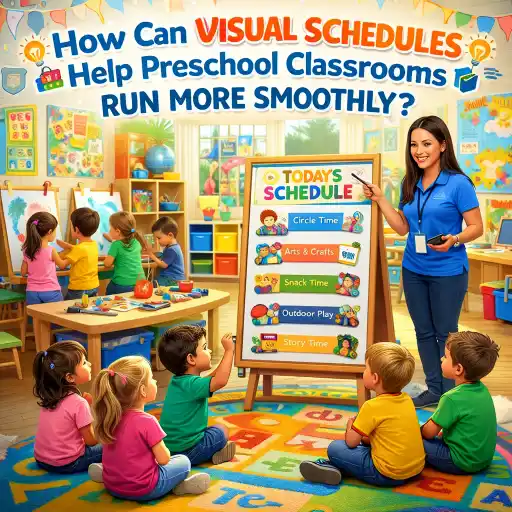
1) Young children understand pictures faster than words. 2) Predictable days help children feel safe and ready to learn. 3) Visual plans cut down on time lost during switches between activities. Research and practice show routines support social and emotional skills; see the CSEFEL brief for more ideas Helping Children Understand Routines and Classroom Schedules.
Note: state requirements vary - check your state licensing agency.
What is a visual schedule and how does it help?
A visual schedule shows the order of the day using photos, icons, or words. It can be a wall chart, a pocket chart, a flip book, or an app. Visuals make the day clear for non-readers and for children who need extra support. ChildCareEd has printable visuals you can use today Visuals for class schedule and activites Buy Now $0.00.
How it helps (easy list):
- Reduces anxiety by showing what will happen next.
- Builds #independence because children can check the schedule.
- Speeds transitions and saves teacher time.
- Supports children with language, memory, or sensory needs.
- Helps families follow the same routine at home.
Use #visuals at child eye level. For children who need extra support, try photos of the actual classroom or the child doing the activity. For more on why routines work, read ChildCareEd's tips on schedules and routines Smooth Days Start Here.
How do I make a simple visual schedule for my preschool room?
Here are easy steps you can follow. Keep each step short and clear so children can learn the routine.
- Choose the scope: whole day, part of day, or a task-to-task chart. (If you want a sample all-day layout, see ChildCareEd's classroom schedule guide How to Create a Classroom Schedule.)
- Pick pictures: photos of your room, clip art, or printed icons. Use the same symbol each day for the same activity. See printable ideas at No Time For Flash Cards.
- Decide the format: wall chart, pocket chart, binder, or mobile app.
- Make it easy to change: use Velcro, magnetic strips, or a dry-erase board.
- Post it at child eye level and add a start marker like a green star to show the current activity.
Common formats to try (short):
- 😊 Whole-class pocket chart for the day.
- 🔁 First–Then board for quick behavior supports.
- 📘 Individual flip-book for a child who needs one-on-one structure.
Keep pictures simple. Too many small cards or too much text can overwhelm children. Use color coding for parts of the day (quiet vs. active).
How do I teach children and staff to use the schedule and avoid common mistakes?
Teaching the schedule takes practice. Use short, repeated steps and involve children and staff. Here is a clear plan you can follow.
- Introduce it: Show the new chart and name each picture. Model how to check it at start and end of activities.
- Practice daily: Point to the chart before a change. Give a 5-minute and 1-minute warning. Use the same cue (song, bell, or rhyme).
- Teach kids to move the card or check it off when an activity is done. This makes them feel in charge.
- Train staff: Practice the plan at staff meetings. Share the same language with substitutes and aides. ChildCareEd offers training on transitions and routines you can use with your team Moving About the Classroom.
Common mistakes and how to avoid them:
- 🛑 Too many pictures—keep only the main parts of the day.
- ⚠️ Different signals from different staff—pick one cue and teach everyone.
- ⏳ No transition time—build in short buffers so children can finish safely.
- 🔄 Changing the plan too often—if you must change the day, review it with children first.
Use praise and small rewards when children use the schedule. For children who resist, try placing a preferred activity right after a less-preferred one (First–Then). Resources on using visuals for children with autism may help you plan and teach Visual Schedules for Students With Autism.
How do I adapt visual schedules for children with extra needs or for days that change?
Adaptation keeps schedules usable for all children. Use these methods to meet varied needs in your class.
- Personalize: Make an individual chart with photos of the child and their favorite tasks. Post it at their cubby or keep it on a clipboard.
- Change symbol level: Use objects, photos, icons, or words depending on each child's understanding. The Indiana Resource Center has many printable visual supports you can copy or adapt Visual Supports.
- Use a First–Then or token board when a child needs a push to finish a task. Many apps and simple token boards work well; see First–Then app ideas here.
- Plan for flex days: Teach a short script to explain changes. For example: “Today we will have gym after lunch. Look at the new card.”
- Coordinate with families: Send a quick picture schedule home or a photo of the day so families can support the routine.
Summary
1) Visual schedules are low-tech and high-impact. 2) Start simple: a few clear pictures at child eye level. 3) Teach staff and children the same cues. 4) Adapt for individuals and for change. Use the ChildCareEd resources linked above for templates, training, and printable visuals. Small steps today will make your classroom calmer tomorrow.
Quick FAQ
- Q: How many pictures should I use? A: Use 6–8 main parts of the day for preschoolers.
- Q: Where to place the schedule? A: At child eye level in a consistent spot.
- Q: What if a child ignores it? A: Teach it in short practice sessions and pair it with praise or a First–Then reward.
- Q: Can families use the same system at home? A: Yes—send a photo or printable so families can match routines.
- 45 Hour Child Growth and Development
- Moving About the Classroom: Effective Transitions for Everyday
- 45 Hour Preschool Methods and Materials
- 45 Hour Infant and Toddler Methods and Materials
- 45 Hour School Age Methods and Materials
- Emergent Learning & Development
- Creating Environments that Nurture Growth and Community
- Texas Director Credential
- Every Moment Matters: Schedules and Transitions
- CDA Certification en Español: Recursos y Consejos para Educadores Bilingües
- 💛🧩 ¿Cómo puedo hacer que mi enseñanza sea inclusiva para los niños con autismo?
- ¿Cómo empiezo mi certificación CDA en Florida en línea?
- 10 Ejemplos de Cómo la Cultura Influye en el Desarrollo Infantil
- Cómo Trabajar en el Cuidado Infantil en Carolina del Norte: Requisitos y Pasos
- How Can Nevada Child Care Providers Create Safe, Calm, and Well-Organized Learning Spaces?
- How can preschool teachers use simple classroom management techniques that really work?
- How can Texas child care providers use simple language and visual supports with children?
- How can Nevada early childhood educators help preschoolers follow routines and directions?
- What Is Visual Learning and How Can New York Child Care Providers Use It With Toddlers?
- Celebrando la amistad en el cuidado infantil durante el Día de los Mejores Amigos
- Canciones, juegos y preguntas de círculo para niños
- ABA Classroom Supports for Children with Autism
- How do I prepare my program for full-day, year-round 2-K: staffing, curriculum, and classroom setup? A guide for New York providers
- How Can I Make Circle Time Activities Work for Preschoolers?
- Cómo simplificar la capacitación para sus empleados de daycare
- How Can Child Care Providers Stay Organized Without Spending Hours Planning?
- How Can Preschool Routines Create Calmer, More Independent Classrooms?
- How Can Providers Build Strong Routines That Reduce Challenging Behavior?
- How Can Preschool Providers Handle Unexpected Routine Changes with Confidence?
