Many Minnesota directors and providers are using computer tools called artificial intelligence (AI) to make work faster. This article explains real ways programs save time with AI. You will see simple steps you can try, safety tips, and links to help your team learn more. Read with your staff and pick one small idea to try this week. Remember: state requirements vary - check your state licensing agency.
How are programs in Minnesota using AI to save everyday time?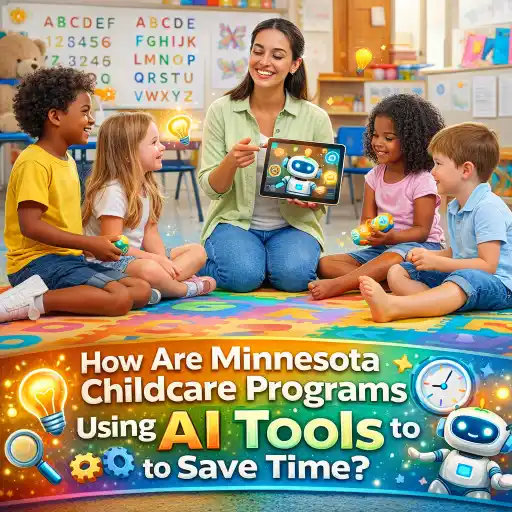
Child care programs in #Minnesota are trying small AI tools to cut busy work and free teachers to be with children. Here are common ways they use AI right now:
- 📝 Lesson planning and activity ideas — Teachers paste a few notes, and AI returns a short plan or materials list. Many providers use online trainings and templates from ChildCareEd to match plans to licensing needs and then let AI speed up writing the plan. Programs interested in applying AI while preserving a child-centered approach can also explore how Montessori principles can meet AI.
- 📧 Parent messages and daily notes — Programs draft quick family updates and daily reports with AI, then staff edit the tone. See ideas about daily reports at How do daycare daily reports help child development?.
- 📊 Enrollment and planning — Some centers use AI features inside software to predict openings and keep classrooms full, like RoomRunner from Procare.
- 🧾 Automating forms and checklists — AI helps turn notes into lists, sign-in logs, or reminders so staff spend less time typing.
Why this helps: when teachers save a little time on paperwork, they gain minutes for coaching, reading, and calm transitions. For training that explores how AI works for trainers, see Using AI Language Models for Trainers  Buy Now $16.00, which can be a good starting place for administrators who plan team learning.
What kinds of AI tools are child care programs actually using?
There are many tools, and they do different jobs. Below are five types and how centers use each one. These are simple descriptions you can share with staff.
- 🤖 Chat-style helpers (chatbots) — Ask a question and get a short answer. Teachers use them for quick activity ideas, behavior scripts, or lists of materials.
- 📄 Text generators — Paste a short note and get a full parent message, newsletter blurb, or lesson outline. Staff edits for accuracy and warmth.
- 📅 Predictive planning tools — Software that uses data to show likely openings, waitlist trends, and room needs. Example: RoomRunner.
- 🧾 Form fill and transcription — Converts voice notes or short phrases into logs and attendance records so staff doesn’t type long notes later.
- 🔎 Screening and flags — Agencies use analytics to check for odd patterns. Examples include county tools for fraud detection discussed in reporting, like Los Angeles County's analytics. Use caution: these systems are for oversight and must be used with fair process.
Keep in mind: many tools are web-based and quick to try. For staff learning, ChildCareEd offers many online course bundles that help teams plan time to learn new tech: Online Childcare Trainings.
Why does using AI safely matter for staff, families, and funding?
Using AI can save time, but safety, fairness, and accuracy matter a lot. Here are clear reasons why safe use is important for your program:
- 👥 Protect trust with families — Families expect care and correct records. If AI makes a mistake in a daily note, it can worry parents. Always review messages before sending. See daily report best practices at ChildCareEd.
- 🔒 Keep private data safe — Some AI tools send text to outside servers. Don’t paste private health or sensitive family information into public tools. Follow your program privacy rules and state guidance; state requirements vary - check your state licensing agency.
- ⚖️ Avoid false flags and wrong billing — Large agencies and HHS have raised concerns about program integrity. The federal freeze on some funds in 2026 shows the stakes: see the HHS notice at HHS.gov. Use AI to help staff work, not to replace careful attendance and billing practices.
- 📚 Train staff — RAND and OECD report that AI use is growing fast but training and policies lag. Good coaching reduces errors and helps staff keep learning together. See RAND and OECD findings.
Why it matters now: AI can help solve everyday time problems. But programs that skip review and policy risk mistakes that cost time, money, or relationships. Start small and keep family trust first.
How can directors start using AI tools now — and avoid common mistakes?
Directors can lead a safe, step-by-step test so staff feels confident. Try this 6-step starter plan and watch for common pitfalls.
- 🧭 Step 1 — Pick one small task: parent notes, lesson ideas, or a sign-in reminder. Keep it simple.
- 📚 Step 2 — Train the team in 30 minutes: show where to copy/paste, how to edit, and what not to share. Use resources like Using AI Language Models for Trainers Buy Now $16.00 for basics.
- ✍️ Step 3 — Set rules: never upload names plus health details, always proofread messages, and keep copies of original notes.
- 🔍 Step 4 — Pilot for 2 weeks: collect staff feedback and fix problems in a short meeting.
- 💾 Step 5 — Use safe tools and vendor agreements: prefer software that signs data protection terms and offers local control.
- ✅ Step 6 — Evaluate: did it save time? Did families stay happy? Decide to keep or pause based on facts.
Common mistakes and how to avoid them:
- ❌ Rushing into big changes — Fix: start small and pilot.
- ❌ Putting private data in public AI — Fix: redact names and health info or use vendor tools with privacy terms.
- ❌ Assuming AI is always right — Fix: make editing and a human check a rule.
Funding note: Minnesota and other places offer grants for technology upgrades. Check resources like grant listings for Minnesota technology help at GrantWatch and ChildCareEd free resources at Free Resources.
Conclusion & FAQ
Summary: AI tools can save your staff time on planning, notes, and enrollment. Start with one task, train staff, protect family privacy, and watch results. Small, tested steps keep children and families safe while giving teachers time to teach.
Quick FAQ
- Q: Will AI replace teachers? — A: No. AI helps with tasks but cannot replace teachers’ care and judgment.
- Q: Which tool should I try first? — A: Try a text helper for parent notes or a lesson idea chatbot. Keep records and edit before sending.
- Q: Is it allowed with licensing? — A: Often yes for planning, but state requirements vary - check your state licensing agency.
- Q: Could AI cause funding problems? — A: If AI fixes attendance incorrectly or creates billing errors, it could. Keep human checks and follow best billing practice; see HHS guidance at HHS.gov.
Want help picking one small AI task to pilot this month? I can make a short one-week plan you can share with your staff. You are doing important work — use tools that protect your #providers, save #time, and support great #childcare with thoughtful #AI choices.
- 45 Hour Child Growth and Development
- 45 Hour Preschool Methods and Materials
- Adult Only CPR AED and Adult First Aid Blended
- Using AI Language Models for Trainers
- Birth to Five CDA Credential with Portfolio Review
- Pediatric RSV First Aid & CPR/AED
- 45 Hour School Age Methods and Materials
- Texas Director Credential
- CDA Certification en Español: Recursos y Consejos para Educadores Bilingües
- Recursos en Español sobre el Sueño Seguro del Bebé
- Cómo usar tu certificación de 90 horas en Maryland para completar tu CDA
- Que es Título 22 en California?
- ¿Qué es la certificación de 90 horas para preescolar en Maryland y cómo la obtengo?
- ¿Cuáles son los pasos, requisitos y opciones en línea para la certificación de 90 horas en cuidado de Infantes/Toddlers en Maryland?
- ¿Cómo solicito la licencia para una guardería en California?
- Normas de Licenciamiento de Cuidado Infantil en Virginia para Centros Diurnos Infantiles y Hogares Diurnos Familiares
- Guías del Clima para el Juego al Aire Libre en el Cuidado Infantil
- Temas y Actividades para el Día Nacional del Kindergarten para Proveedores
- Las Mejores Ideas de Excursiones para Guarderías en Texas
- How are Minnesota childcare programs using AI tools to save time?
- How can Minnesota child care centers market smartly and fill open spots fast?
- Canciones, juegos y preguntas de círculo para niños
- How Can I Fill My Program Using Waitlist and Enrollment Strategies?
- How Can Childcare Administrators Use Artificial Intelligence Responsibly?
- Reglas y regulaciones de guarderías en Minnesota 2026: Requisitos actuales y próximos cambios
- Is It Safe to Put Child Assessment Notes into an AI Tool?
