Introduction
A good #provider toolkit helps you run a safe, organized child care program. It keeps your #policies, #forms, #training, and #compliance information in one place so you and your staff can find what you need fast. State requirements vary - check your state licensing agency. Using a toolkit saves time, lowers stress, and protects children and your program.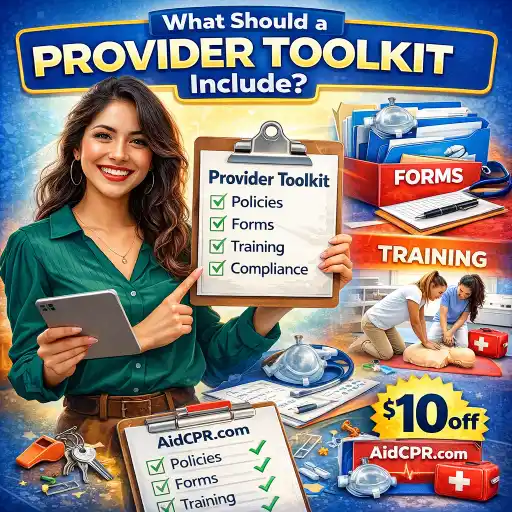
Why it matters: Families trust programs that are organized and prepared. When you keep clear records and current policies, you show families you care. National standards such as Caring for Our Children help guide the big safety ideas.
1) What belongs in a Provider Toolkit?
- 📄 Written program policies: enrollment, attendance, health/illness, medication, discipline, and privacy. Use sample policy ideas from state sites like Licensing Requirements for Child Care Providers.
- 🧾 Enrollment & family forms: child information, emergency contacts, immunization records, and signed permission forms. Find sample forms and templates at sites like Sample Forms and state form lists such as Commonly Requested Licensing Forms.
- 🚨 Emergency docs: an emergency form to collect parent/medical info and a written emergency action plan. See ChildCareEd’s Emergency Form Buy Now $0.00 and the Sample Childcare Emergency Action Plan Buy Now $0.00.
- 👥 Staff files: background checks, training certificates, job descriptions, and health records. Use checklists like state staff record guides (example: NJ DCF staff checklist).
- 🗂️ Administrative templates: daily attendance sheets, incident reports, sign-in/out logs, and sample contracts. Free downloadable templates help; see daycare authorization samples.
2) How do I organize records for licensing visits and audits?
Organization makes licensing visits calm and quick. Follow these steps and keep proof that you are meeting rules. Remember: state requirements vary - check your state licensing agency.
- 📁 Create a central folder system (physical and digital):
- Classroom files: attendance, lesson plans, behavior logs.
- Staff files: trainings, background checks, certifications.
- Safety files: emergency plans, fire drills, first aid kits.
- 🧾 Use numbered checklists: 1) licensing paperwork, 2) inspections, 3) renewals. Many states list required forms—see the Tennessee list at Commonly Requested Licensing Forms.
- 💻 Track training and certificates online: ChildCareEd explains course formats and how to get instant certificates in Course Formats & Training Process. Directors can use the Group Admin dashboard for team tracking (see tips on preparing for licensing at How to Prepare for a Licensing Visit).
- 🔄 Keep renewal dates visible: maintain a calendar for CPR/First Aid, license renewals, background-check expirations, and insurance dates.
- ✅ Do a weekly director walk-through: check emergency postings, staff files, and classroom ratios. A short weekly review prevents last-minute scrambling.
3) What trainings should staff complete and how should we track them?
Staff training keeps children safe and helps your team feel confident. Most states require basic topics; add extras for quality care. State rules differ—state requirements vary - check your state licensing agency.
- 📘 Required basics (commonly required):
- Abuse & neglect recognition and mandated reporting (see Abuse and Neglect Training).
- CPR and First Aid for infants and children.
- Health & safety: safe sleep, medication, infection control (refer to national standards at Caring for Our Children).
- 🧑🏫 Quality & role-specific trainings:
- Child development, guidance, and inclusion (see Including All Children and the ADA Buy Now $35.00).
- Director/administrator training, such as the 45-Hour Director-Administration
 Buy Now
 $399.00$275.00 course.
- 📚 Track learning with a simple system:
- Use an online training platform that gives instant certificates. ChildCareEd offers self-paced and live options with downloadable certificates (Course Formats).
- Directors: use a Group Admin dashboard to assign courses, see completions, and print certificates (read tips in Preparing for Licensing).
- Keep a staff training binder with copies of certificates and renewal dates.
- 🆓 Use free resources for refreshers: ChildCareEd lists free short courses and tools you can use right away (Free Online Courses).
4) How do I avoid common mistakes and stay compliant every day?
Avoiding common mistakes keeps children safe and reduces stress. Here are frequent problems and simple ways to fix them.
- ❗ Missing renewals or trainings
- Fix: Keep a shared calendar. Set reminders 30 and 7 days before expirations.
- ⚖️ Incomplete staff files or missing background checks
- Fix: Use a hiring checklist and collect checks before a staff person starts (consult state staff checklists like NJ DCF).
- 🚸 Not following ratios or group size rules
- Fix: Post ratio rules in each room. Plan substitutes ahead so staffing stays in range.
- 🧯 Unpracticed emergency plans or missing emergency info
- Fix: Review and practice your emergency action plan with staff and children. Keep parent emergency forms handy (see Emergency Form Buy Now $0.00 and Sample Action Plan Buy Now $0.00).
- 📂 Poor record organization
- Fix: Do a quick director walk-through weekly and use digital backups. ChildCareEd explains how to make licensing visits less stressful (How to Prepare for a Licensing Visit).
Conclusion: Quick checklist and FAQ
Use this short checklist each month:
- ✅ Review staff training and renew certificates.
- ✅ Check emergency supplies and practice drills.
- ✅ Update enrollment and health records for new children.
- ✅ Spot-check ratio and supervision in each room.
- ✅ Save copies of inspection reports and corrective actions.
FAQ
- Q: Where do I get sample forms? A: Try ChildCareEd resources and state licensing pages; see Emergency Form Buy Now $0.00 and your state’s form list, like TN forms.
- Q: How often must staff renew CPR? A: Many states require current CPR/First Aid—check your state licensing agency for exact timing.
- Q: Can I use online certificates for licensing? A: Many states accept online course certificates. ChildCareEd offers instant certificates; check your state rules and the course acceptance policies (Course Formats).
- Q: Who must have background checks? A: Typically all staff and adults living in the home program. State rules differ—see your state licensing guidance and examples like NJ DCF.
You are not alone. Small steps—one checklist, one folder, one training at a time—build a strong program. Use the links and tools above to start your toolkit today and keep it updated. Your work matters to the children and families you serve.
- Regulaciones de Licenciamiento de Cuidado Infantil en California para Centros y Hogares de Cuidado Infantil Familiar
- Normas de Licenciamiento de Cuidado Infantil en Virginia para Centros Diurnos Infantiles y Hogares Diurnos Familiares
- Lista para Guardería en Casa en California: Cómo Iniciar una Guardería en el Hogar
- Lista para Guardería en Casa en Texas: Cómo Iniciar una Guardería en el Hogar
- In-Home Daycare Requirements in Texas
- How Can Texas Child Care Providers Spend Less Time on Paperwork and More on Quality?
- How to Get a Daycare License in Maryland
- How can child care programs meet licensing and compliance requirements?
- Home Daycare Guide: How to Start Caring for Children in Your Home
- What Does New York's Health Care Plan Requirement Mean for Your Program?
- How Can North Dakota Providers Best Prepare for a Licensing Visit?
- How can New York child care programs best support children with food allergies?
- How Can I Prepare for a Licensing Visit With Confidence?
- How do I write clear policies and a parent handbook for my child care program?
- How can directors manage enrollment and classroom ratios to stay compliant and maximize program quality?
- What Massachusetts EEC Regulations Do Child Care Providers Need to Follow?
- What Daycare Certification Requirements Must You Complete Before You Can Start Working?
- What Certifications Do I Need to Open a Daycare? License, Training, and Credentials Explained
- How to Open a Daycare in California: Small Home, Large Home, or Child Care Center?
- Childcare License Texas: Which Permit Do You Need for the Program You Want to Open?
