Many North Dakota #providers save time by adding their #Registry ID to ChildCareEd, so completed #training #hours upload to the state automatically. This short guide shows why that matters, exact steps to add your ID, how uploads work, and how to avoid common mistakes. State requirements vary - check your state licensing agency. If you're in Michigan, ChildCareEd is on the MiRegistry and offers over 150 approved courses that can upload directly to your MiRegistry record—see ChildCareEd is on the MiRegistry for details.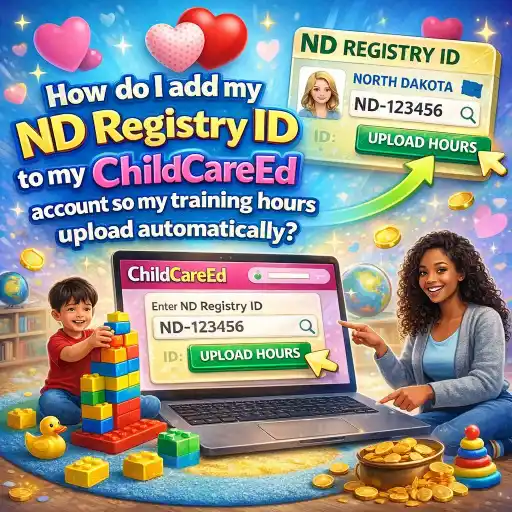
What is the ND Early Childhood Workforce Registry, and why should I link my ID?
1. The ND Early Childhood Workforce Registry (formerly Growing Futures) is where staff keep training, job history, and certificates in one place. See the ChildCareEd overview at Growing Futures North Dakota for details.
2. Linking your Registry ID to ChildCareEd helps you and your director because:
- 📁 It keeps training proof in one place for licensing visits and staff files.
- 🕒 It saves time—completed courses can be uploaded without you sending certificates.
- ✅ It makes reports easier: directors can pull annual training reports from the Registry for licensing.
3. Who benefits?
- 👩🏫 Directors who manage staff training.
- 👩👧 Staff who want credits added quickly to their record.
- 🏫 Programs using the Registry for compliance and career steps.
For how ChildCareEd works with the Registry and upload rules, read ChildCareEd and the Growing Futures Registry. Adding your ID is a small step that keeps your training tidy and ready.
How do I add my ND Registry ID to my ChildCareEd account step-by-step?
Follow these clear numbered steps. It usually takes just a few minutes to add the ID. Before you start, have your ND Registry ID ready (it’s a number you got when you created your ND account). If you need help finding it, check your Registry profile inside the ND Early Childhood Hub or see Growing Futures, North Dakota. If you need help navigating the ChildCareEd profile pages to find and edit the Registry ID field, see A Guide to Navigating Your ChildCareEd User Profile.
- 🔐 Sign in to your ChildCareEd account at childcareed.com.
- 📂 Go to your Account or Profile area (look for Profile, My Account, or Settings).
- 📝 Find the field labeled "Registry ID" or "Early Childhood Registry Number."
- ✨ Type your ND Registry number exactly and click Save or Update.
- 📧 Optional: Email support if you can’t find the field—ChildCareEd support can guide you.
Tip: If you manage staff, have each staff member add their own #Registry ID to their ChildCareEd profile, or use your Group Admin tools to collect IDs. ChildCareEd is an approved sponsor for ND (Sponsor ID #26927)—see North Dakota Approved Training.
How and when will my completed training hours show in the ND Registry?
1. Once your #Registry ID is on file, ChildCareEd uploads attendance data to the ND Registry on a regular schedule. According to ChildCareEd, uploads occur weekly,y and you should allow at least 5 business days for a completed course to appear in your Registry record; some processes may take a little longer. See details at ChildCareEd and the Growing Futures Registry.
2. Simple timeline and checks:
- 📅 Week 0 —Complete the course and pass the quiz or final check on ChildCareEd.
- 📘 A strong first course to upload: Once your Registry ID is linked, a great course to start with is ChildCareEd's Health and Safety Orientation
 Buy Now $55.00 — a 6-hour online course covering core health and safety standards that count toward North Dakota annual training hours. Complete it, wait for the standard upload window, and then check your Registry record to confirm the process is working correctly.
 - 🔁 Week 1 — ChildCareEd includes the completion in its next weekly upload to ND.
- ⏳ Wait at least 5 business days, then log into the ND Hub and open your Registry record to confirm the hour entry.
- 🔍 If the hours don’t show after 10 business days, save your certificate and contact ChildCareEd support or the ND Registry help line. See the state overview at Growing Futures North Dakota.
3. What counts: Not every course counts the same way for licensing. Some preservice trainings must be taken through the state (like New Provider Orientation, Safe Sleep, and Mandated Reporter). For annual hour rules and examples, see Annual Training Hours in North Dakota. Remember: state requirements vary - check your state licensing agency. ChildCareEd also offers topic-specific trainings that support early literacy and classroom practice — for example, their new Emergent Literacy class for early childhood educators provides a completion certificate and may count toward your annual hours; see the course details and enroll at Emergent Literacy class.
What common mistakes should we avoid, and how do I prepare for licensing checks?
Directors and staff often make the same small mistakes. Fixing them early saves time and stress during licensing visits. Use this numbered checklist to avoid problems.
- 🛑 Don’t wait until the last month. Plan training across the year.
- 📆 Tip: Make a quarterly schedule and assign courses now.
- 📁 Keep certificates in staff files (digital + paper).
- 📸 Save a screenshot of the ChildCareEd completion page until the Registry shows the upload.
- ⚠️ Don’t assume all trainings can be done through ChildCareEd.
- 🔎 Check the ND training calendar or the ND Hub for state-only required classes; see Growing Future,s North Dakota.
- 📣 Annual required training: North Dakota requires Mandated Reporter training every year for staff who work with children. ChildCareEd's Mandated Reporters Buy Now $16.00 is a convenient 2-hour online course that satisfies this requirement — with your Registry ID linked, the completion uploads automatically, so there is no need to track down certificates or submit hours manually.
- 🔁 Avoid repeating the same course within restricted credit windows. Keep a 3-year training log.
- 📌 Verify CPR/First Aid rules—hands-on skill checks are often required and may not count the same way toward hours.
Quick licensing checklist for directors:
- 👥 Have each staff person’s #Registry ID on file.
- 📂 Confirm required state-only trainings are scheduled and completed.
- ✅ Check the Registry 5–10 business days after completion to confirm uploads.
- 📄 Run and save the annual training report from the ND Registry for licensing visits.
For troubleshooting and sponsor info, use ChildCareEd’s ND pages: North Dakota Approved Training and the detailed guide at ChildCareEd and the Growing Futures Registry. Small steps now mean smoother licensing later.
Why it matters: Linking the ND #Registry ID to ChildCareEd reduces paperwork, speeds up credit reporting, and helps programs show compliance quickly. For directors, that means less time chasing certificates and more time coaching staff. For staff, it means their #training counts for career steps and incentives faster, helping with moves like Career Pathway Advancement. See the ND incentive info at North Dakota: Career Pathway Advancement. If you're pursuing promotion or credential advancement, see ChildCareEd's guide on advancing from a CDA credential to Child Care Center Director in North Dakota for steps, credential requirements, and recommended courses.
Need help? If the Registry upload is delayed or a course doesn’t appear, keep your certificate and contact ChildCareEd support. You can also check state guidance and contacts through the ND Hub and ND HHS links in the ChildCareEd articles above. State requirements vary - check your state licensing agency.
Summary
1. Add your ND #Registry ID to your ChildCareEd profile so completed #training #hours upload automatically.
2. Use the step-by-step profile update, wait at least 5 business days for uploads, and check your Registry record.
3. Keep certificates until the upload appears, plan training across the year, and avoid common mistakes.
4. For more details and ND-specific rules, see ChildCareEd’s ND pages: ChildCareEd and the Growing Futures Registry and Growing Futures North Dakota. You’re doing important work—this small step helps make your training records calm and reliable.
- CDA Preschool Credential with Portfolio Review
- Birth to Five CDA Credential with Portfolio Review
- CDA Family Child Care Credential with Portfolio Review
- CDA Bridge Bundle: Preschool
- CDA Infant/Toddler Credential with Portfolio Review
- CDA Bridge Bundle: Family Child Care
- CDA Bridge Bundle: Infant/Toddler
- Texas Director Credential Renewal
- Texas Director Credential
- 👶 ¿Cuáles son las proporciones y grupos requeridos en Dakota del Norte? 🏫
- Cómo Trabajar en el Cuidado Infantil en Wisconsin: Requisitos y Pasos
- Cómo Ser Maestra de Preescolar en Dakota del Norte
- Capacitación Previa al Servicio para Proveedores de Cuidado Infantil en Dakota del Norte
- Capacitación Previa al Servicio para Proveedores de Cuidado Infantil en Nevada
- How do I use the Nevada Registry for child care training?
- How to Get an ECE Certificate in North Dakota
- North Dakota Early Childhood Workforce Registry: What Child Care Providers Need to Know
- How can North Dakota programs climb the Bright & Early ND steps before the July 2026 update?
- Florida Early Childhood Training Records: How the Registry Helps
- How Can North Dakota Family Childcare Providers Meet Health and Safety Training Requirements Online?
- How do I add my ND Registry ID to my ChildCareEd account so my training hours upload automatically?
- How Does ChildCareEd Map Courses to North Dakota’s Core Competency Areas?
- How can North Dakota childcare providers finish their annual training hours with online CEU courses?
- Celebrando la amistad en el cuidado infantil durante el Día de los Mejores Amigos
- Cómo simplificar la capacitación para sus empleados de daycare
- How do I set up my Develop Registry profile for Minnesota providers?
- What annual training must North Dakota child care providers complete each year?
- How Can North Dakota Providers Best Prepare for a Licensing Visit?
- How can I build a simple assessment system for my North Dakota program?
