Creating a short classroom movie is a playful, high-impact way to strengthen early #storytelling, vocabulary, collaboration, creativity, and social skills. By working together to choose characters, organize a beginning, middle, and end, practice dialogue, and act out a simple story, preschoolers become active creators rather than passive media viewers. This guide walks child care providers and directors through practical, low-tech to mid-tech steps for producing a one- to three-minute film—from gathering family permissions and assigning inclusive roles to filming, basic editing, documentation, and sharing the finished project with families. The process can be adapted to your group size, available materials, children’s abilities, and program policies.
To learn how to use digital tools intentionally with young children, explore ChildCareEd’s self-paced online course Technology as a Classroom Tool  Buy Now $16.00. The training examines how media affects young children’s growth and development and provides strategies for guiding technology use in ways that enhance classroom lessons. Providers can also take Language Development in Early Childhood Buy Now $16.00 to strengthen the language-rich conversations, vocabulary building, sequencing, and expressive communication involved in planning and producing a classroom movie. State requirements vary, so always check with your state licensing agency. If you plan to enroll or might need to miss sessions, review ChildCareEd’s Missed Class Policy for details about attendance, participation, and make-up assignments.
1) Why does making a classroom movie matter for early learners?
- 1. Language growth: repeated viewing helps children reuse new vocabulary in play and speech — consistent with findings about animated and multimedia books supporting vocabulary (Animated Books study).
- 2. Social-emotional reflection: watching scenes supports perspective taking and conflict resolution (IVR examples).
- 3. Motivation and engagement: children love seeing themselves; this raises participation, especially for shy learners.
Why it matters: a short, scaffolded film project anchors repeated language practice, strengthens emergent #literacy, and creates a shareable artifact for families and assessment. For lesson-planning frameworks that help you embed film projects into weekly goals, see ChildCareEd’s Preschool Lesson Plan Ideas for Teachers and Caregivers.
2) How do I plan a preschool-appropriate story project (quick, safe, and developmentally meaningful)?
- Decide the learning focus (one clear goal): vocabulary, sequencing (beginning/middle/end), or social problem-solving. Tie the goal into your weekly plan (lesson plan ideas).
- Choose a simple story frame (3 beats): 1) Problem/Setup, 2) Action/Change, 3) Resolution. Keep scenes short so attention stays strong.
- Plan roles and materials using stations so that many children contribute without crowding the camera: props maker, narrator, actor(s), set designer, and sound helper.
- Script lightly: create 3–6 short cue cards (single lines or prompts) that children can memorize or that the teacher can read off-camera.
- Schedule two short sessions: 1) rehearsal/play and 2) filming. Short, repeated bursts work best for young children.
Practical tips from classroom poets and animators: use story baskets, story stones, or loose parts to spark ideas and sequencing — see play-based storytelling resources and the research on loose parts supporting literacy (Loose Parts Play and Literacy).
3) What simple tools and techniques create charming, child-friendly movies?
- 1) No-tech stage + smartphone: use a phone on a tripod or a steady book stack. Keep lighting consistent and shoot short clips (5–20 seconds each).
- 2) Stop-motion with objects or drawings: children move characters one tiny step; you capture a photo per move. Low-cost stop-motion apps (e.g., iMovie, HUE Animation examples, Stop Motion Studio) help sequence frames. Stop-motion guides explain pacing and equipment basics (Stop Motion ideas).
- 3) Simple video + voiceover: film short action and record children’s lines cleanly; then splice in a simple editor (iMovie, CapCut, or a basic desktop editor). Scholastic and other teacher resources list kid-friendly digital storytelling tools (Tools for Digital Storytelling).
Key production tips:
- Keep the camera stationary; fix your tripod/phone so frames align.
- Use consistent, soft light (window light or classroom lamps) to avoid flicker.
- Capture natural sound, but consider re-recording lines indoors to reduce noise.
- Film extra takes — you only need a few clear seconds per beat.
4) How do I handle permissions, privacy, and sharing with families?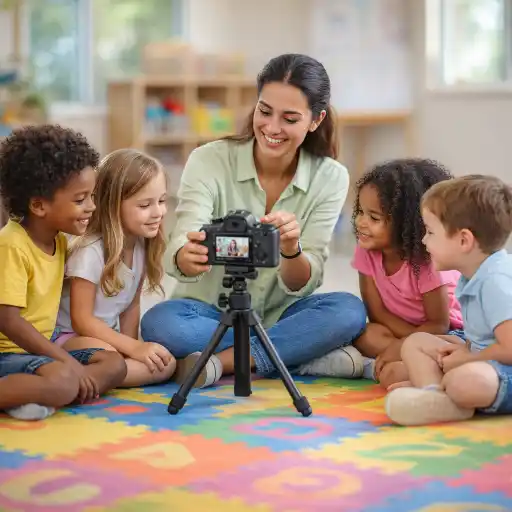
Always plan privacy and permission before filming. Follow these steps and resources to protect children and your program. For detailed guidance on consent wording, record retention, and how ChildCareEd handles student feedback and privacy, review our policy on records, release, and privacy.
- Collect signed photo/video release forms for any child who will appear on camera. Use a clear template for minors; see a sample photo release template for minors. If you record at large events, post signage, and follow your program's policy.
- Document consent for storage, internal use (assessment), and external sharing (class website/social media). Keep records organized and easily retrievable.
- Follow best practices for respectful imagery: be inclusive and authentic, avoid context stripping, and respond promptly to family requests to remove images (photo/video best practices).
Practical workflow for sharing:
- 🔒 Keep a copy in your secure program folder for assessment and licensing records.
- 📧 Share a password-protected link or classroom newsletter clip with families who consented.
- 🧾 Note any state privacy or licensing rules required by your agency; state requirements vary - check your state licensing agency.
5) How can I use the finished movie for learning, reflection, and assessment?
A 1–3 minute classroom movie is a multi-purpose teaching tool. Use it to document learning, support reflection, and plan next steps. Practical uses include:
- Formative assessment: watch the film with children and ask targeted questions (e.g., "What happened first? What did you say? How did you solve the problem?") to check sequencing and language use.
- Revisiting for reflection: instant revisiting supports metacognition; children often notice feelings and choices they missed live (IVR research).
- Family engagement: send a short clip with prompts for families to ask about the story at home — this boosts home-school language connections and #literacy practice.
- Professional reflection: staff can use clips to evaluate techniques and inclusive practices; see ChildCareEd courses on tech as a classroom tool (Technology as a Classroom Tool Buy Now $16.00).
Suggested reflection prompts for children (use simple language or visuals):
- 🙂 "Who is in our story?"
- 🎬 "What happened first, next, last?"
- 💭 "How did the character feel? What could they do differently?"
Conclusion: What are the first three steps I can take next week?
Start small and repeat:
- 📚 Choose a short story or a simple 3-beat class routine tied to your weekly plan (see How can storytelling be used as a teaching tool?).
- 🎭 Assign roles and make one rehearsal session using props or loose parts.
- 📱Film 30–90 seconds on a smartphone, save securely, and watch it with the children the same day for a short reflection.
Common mistakes and how to avoid them:
- 🔴 Trying to do too much: limit scenes to 3 beats and keep filming time under 20 minutes per child group.
- 🔴 Poor audio: film quiet narration separately or indoors to capture clear speech.
- 🔴 Skipping permissions: always get written parental consent and follow your program's privacy policy.
FAQ (quick):
- Q: How long should the movie be? A: 60–180 seconds is ideal for attention and sharing.
- Q: What if a child doesn’t want to be on camera? A: Offer off-camera roles (director, prop maker) and respect their choice.
- Q: Which app is easiest? A: iMovie (Apple) or Stop Motion Studio are both teacher-friendly; Scholastic lists other digital storytelling tools (digital tools).
- Q: Can infants be included? A: Yes — but keep expectations low: focus on gestures, short sequences, and parent consent.
You are already doing the most important part: creating an environment where children’s voices and stories matter. A short classroom movie simply makes those stories visible, revisitable, and shareable — boosting language, social thinking, and family connections along the way. Ready to try it? Start with one small scene this week and build from there.
- Science of Reading Foundations in the Pre-K Classroom
- CDA Home Visitor Subject Area 3 Part 3 Birth to 5
- CDA Home Visitor Subject Area 2 Part 3 Birth to 5
- Reading Aloud and Storytelling
- From Tantrums to Triumphs: Equipping Preschoolers with Self-Regulation Skills
- Working Together: Teachers & Preschoolers
- Potty Training Made Simple
- CDA Home Visitor Credential Birth to 5
- CDA: Stand With Respect and Professionalism
- Deck the Halls with Emotional Wellness: Family Traditions That Foster Connection
- DIY Snow Globes: The Fine Motor Craft That’ll Keep Kids (and Adults) Busy for Hours
- Party Hats and Emotional Regulation: Helping Little Ones Navigate Big New Year Feelings
- CDA Certification en Español: Recursos y Consejos para Educadores Bilingües
- 💛🧩 ¿Cómo puedo hacer que mi enseñanza sea inclusiva para los niños con autismo?
- Recursos en Español sobre el Sueño Seguro del Bebé
- 10 Ejemplos de Cómo la Cultura Influye en el Desarrollo Infantil
- Proporciones de Cuidado Infantil y Tamaños de Grupo por Edad en Nueva Jersey (Guía Rápida para Centros y Hogares)
- Proporciones de Cuidado Infantil y Tamaños de Grupo por Edad en Virginia (Guía Rápida para Centros y Hogares)
- Cómo Celebrar el Día Nacional del Kindergarten
- Retraso del Habla en la Guardería: Cómo Pueden Ayudar los Proveedores
- Cómo Trabajar en el Cuidado Infantil en Carolina del Norte: Requisitos y Pasos
- Cómo Ser Maestra de Preescolar en Illinois
- Cómo Ser Maestra de Preescolar en Maryland
- Celebrando la amistad en el cuidado infantil durante el Día de los Mejores Amigos
- Canciones, juegos y preguntas de círculo para niños
- Cómo simplificar la capacitación para sus empleados de daycare
- How Can Preschool Teachers Make a Simple Classroom Movie to Boost Early Storytelling?
- How can we run a 'Movie Day' that balances screen time and learning in child care?
- Why Do the Best Kids' Movies Work for Grown-Ups Too?
