Movie days can be enjoyable for children and occasionally helpful for classroom pacing, but they are most effective when they are planned as active learning experiences rather than used as passive entertainment. When full-length movies become routine, they can replace valuable opportunities for conversation, movement, imaginative play, and hands-on exploration. This article offers child care providers and directors practical, evidence-informed strategies for selecting age-appropriate media, limiting viewing time, preparing children for what they will watch, asking engaging questions, and extending the experience through art, dramatic play, literacy, movement, or learning-center activities. Thoughtful planning helps ensure that screens support curriculum goals without displacing the interactions young children need for healthy development.
To strengthen the hands-on learning that should accompany or follow a movie, explore ChildCareEd’s self-paced online course Role of Play in Learning  Buy Now $16.00, which examines how play supports children’s development and learning. Educators can also take Spicing Up the Classroom: Learning Centers Buy Now $16.00 for strategies to create purposeful centers where children can explore themes from a movie through building, storytelling, art, problem-solving, and pretend play. State requirements vary, so always check with your state licensing agency.
How should we plan a 'Movie Day' that supports learning?
1) Keep it brief and scheduled. Designate movie moments on the daily plan and limit them to short, intentional segments (10–20 minutes) rather than an hour-long passive film. The CDC’s early care standards emphasize tight limits (e.g., no media for children under 2 and strong limits for older groups): see CDC HIOPS screen time limits.
2) Adult-led routines: staff should co-view, narrate what's happening, and connect screen content to children’s experiences. This turns a watching moment into language practice and social learning; ChildCareEd recommends co-viewing and follow-up activities as standard classroom practice (Balancing Screen Time).
3) Follow-up learning: always plan 1 hands-on extension immediately after media (art, blocks, movement, puppet play). This is the single most effective way to transfer learning off-screen and back into real play.
What age-based limits and scheduling rules should guide our decisions?
1) Schedule, don’t surprise. Put any group media on the daily schedule so families and staff know when to expect it. Scheduling reduces requests, tantrums, and the perception that screens are a reward. See ChildCareEd’s short limits guidance and sample schedules (Practical Screen Time Limits).
2) Enforce device-free times. Mealtimes, naps, and free-play should remain screen-free to protect sleep and conversational learning—the CDC and ChildCareEd both recommend keeping these routines device-free (CDC HIOPS, Simple Screen Time Rules).
3) Document limits by age in your policy so staff and families have one place to check. Templates and suggestions for policy language are available at ChildCareEd’s policy guide.
How can staff make short screen moments high-quality and interactive?
1) Follow a three-step routine every time: (1) preview—tell children what to watch for; (2) engage—ask simple questions while watching; (3) extend—do hands-on follow-up within five minutes. Example: play a 4-minute movement song, ask children to copy three moves, then lead a live movement circle that practices the same moves.
2) Choose content thoughtfully. Preview apps and videos for slow pacing, minimal rapid edits, and no ads. Avoid background media—it reduces talk and attention. Nemours and ChildCareEd highlight the difference between passive, overstimulating clips and slow, interactive content (Nemours: Preschoolers, Stop Screen-Time Battles).
3) Turn technology into a tool—not a babysitter. Use short digital prompts to launch sensory tables, block challenges, or storytelling centers. The hands-on follow-up is the learning bridge that makes the screen useful.
How do we prevent screen-time battles and partner with families?
1) Communicate a one-page center media policy. Keep language short, kind, and explicit: state p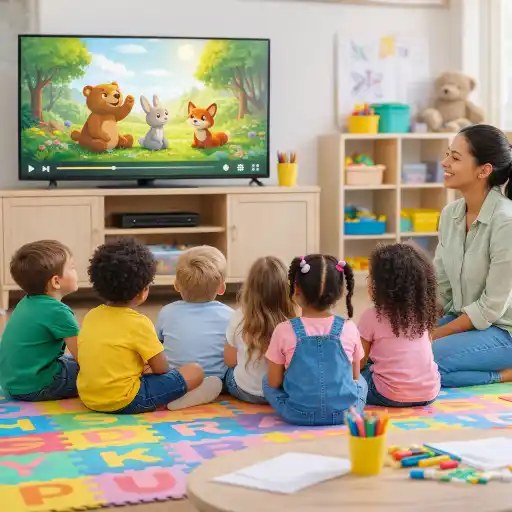 urpose, age rules, daily schedule, supervision expectations, device zones, and family signature. ChildCareEd provides ready templates and communication tips (How to write a screen-time policy).
2) Collaborate on a family media plan. Invite families to complete a short checklist that lists home cutoffs (e.g., no screens 60 minutes before bedtime), co-viewing preferences, and preferred content. Offer a quick demo at pickup so families see co-viewing and hands-on follow-up in action—practical moves that reduce arguments (Stop Screen-Time Battles).
3) Train staff in transitions and de-escalation. Teach a 2-minute warning routine and alternative calming strategies (books, songs, breathing), so screens aren’t used as the default calming tool. These small routines reduce daily fights and preserve classroom calm (ChildCareEd guidance).
4) Share observations. If a child shows sleep or behavior changes linked to screens, communicate with families and suggest a home trial (cut screens 30–60 minutes before sleep) and/or a pediatric consult. For evidence about screen effects on sleep and behavior, see Is Too Much Screen Time Keeping Kids Awake? and Nemours summaries (Nemours). For a broader synthesis of how screen exposure affects attention, creativity, and emotional regulation—including why some content produces short-term bliss yet can undermine curiosity and sustained engagement—see How Screens Turn Your Child’s Brain into a Battleground of Bliss and Boredom.
What policy elements, common mistakes, and FAQs should programs include?
1) Essential policy elements:
1. 📋 Purpose statement (1–2 lines): why limits exist—protect learning, sleep, and safety. 2. 📏 Age rules: clear limits for infants, toddlers, and preschoolers (e.g., avoid screens under 18 months except video chats). 3. 🕒 Schedule: when short, planned uses occur. 4. 👥 Supervision: staff must co-view and lead follow-up activities. 5. 🔒 Safety: privacy rules, approved content list, and device storage. See a modelin thet ChildCareEd policy guide.
2) Common mistakes and fixes:
1. 📺 Mistake: Background TV or always-on screens. ✅ Fix: turn off background media to increase staff-child talk. 2. 🎮 Mistake: Using screens to calm children by default. ✅ Fix: teach quiet routines (story, song, breathing). 3. 🧾 Mistake: No follow-up after screens. ✅ Fix: require a hands-on activity tied to the screen content. ChildCareEd lists these common pitfalls and fixes (Simple Rules).
3) Quick FAQ:
1. Q: Can we use tablets for learning? A: Yes—when use is short, adult-led, and followed by hands-on practice (Practical Limits).
2. Q: Are video calls allowed? A: Yes—live family video chats are appropriate for infants and toddlers as a social connection (Nemours).
3. Q: What if a parent objects? A: Share the policy’s reasoning, invite a media plan, and offer a short demo of co-viewing. 4. Q: What about licensing? A: State rules vary—check your state licensing agency and local CCRR. Include a legal note in your policy linking to state rules; for example, use your state’s licensing pages as a citation.
Conclusion
1) Quick checklist:
1. ✅ Plan and schedule any screen use in advance. 2. ✅ Keep group media short (10–20 minutes) and age-appropriate. 3. ✅ Co-view, narrate, and ask simple questions. 4. ✅ Follow screens with hands-on #play-based extensions. 5. ✅ Post a one-page policy and share a family media plan. 6. ✅ Track and review the policy every 6–12 months. (For templates and training, see ChildCareEd policy guide and Balancing Screen Time.)
You are the bridge between families and healthy media habits: plan with purpose, protect naps and meals as screen-free times, and always turn a screen moment into shared learning. Small, consistent rules help children sleep, talk, and play better. Use screens as tools—not babysitters—and partner with #families and #educators to support your #preschoolers through intentional #screentime that makes room for real-world #play.
- Moving About the Classroom: Effective Transitions for Everyday
- 45 Hour School Age Methods and Materials
- 24 Hour Texas Pre-Service
- CDA Bridge Bundle: Family Child Care without Portfolio Review
- CDA Bridge Bundle: Infant/Toddler without Portfolio Review
- The Best Promotion is Play
- CDA Bridge Bundle: Preschool without Portfolio Review
- Texas Director Credential
- Moving About the Classroom: Effective Transitions for Everyday
- Frequently Asked Questions
- CDA Certification en Español: Recursos y Consejos para Educadores Bilingües
- Recursos en Español sobre el Sueño Seguro del Bebé
- ¿Cómo afecta la dopamina a los niños: señales, efectos e influencias diarias?
- ¿Cómo solicito la licencia para una guardería en California?
- Proporciones de Cuidado Infantil y Tamaños de Grupo por Edad en Maryland (Guía Rápida para Centros y Hogares)
- Proporciones de Cuidado Infantil y Tamaños de Grupo por Edad en Virginia (Guía Rápida para Centros y Hogares)
- Actividades de Otoño Fáciles para Preescolares esta Temporada
- Lista para Guardería en Casa en California: Cómo Iniciar una Guardería en el Hogar
- Lista para Guardería en Casa en Texas: Cómo Iniciar una Guardería en el Hogar
- Por Qué la Supervisión Activa Es Clave para la Seguridad en el Cuidado Infantil
- Cómo Trabajar en el Cuidado Infantil en California: Requisitos y Pasos
- Capacitación CDA gratuita en Illinois
- Celebrando la amistad en el cuidado infantil durante el Día de los Mejores Amigos
- Canciones, juegos y preguntas de círculo para niños
- Cómo simplificar la capacitación para sus empleados de daycare
- What Does Toy Story 5 Teach Us About the Power of Imaginative Play?
- How Can Preschool Teachers Make a Simple Classroom Movie to Boost Early Storytelling?
- How can we run a 'Movie Day' that balances screen time and learning in child care?
- Why Do the Best Kids' Movies Work for Grown-Ups Too?
