Young children see screens everywhere. A clear, simple family media plan helps your program and the families you serve agree on safe limits, good content, and routines that protect play, sleep, and learning. Why it matters: Too much or poor-quality screen time can affect sleep, behavior, and physical activity. Good plans keep screens useful, not bossy. For quick classroom ideas and parent handouts, see ChildCareEd's guidance on screen-time battles.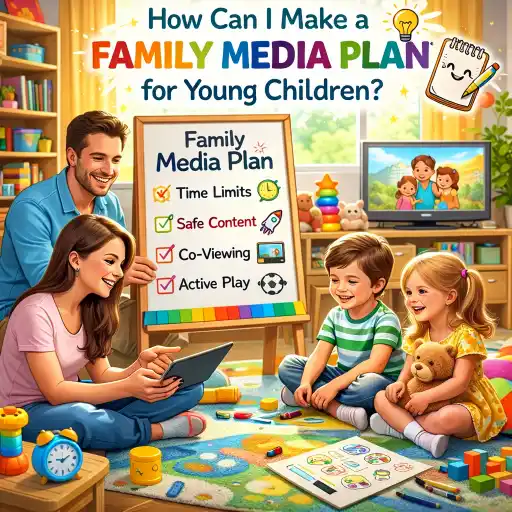
What should a family media plan include?
A family media plan is a short, visible list your team and families follow. Make it 1 page if you can. Try this checklist:
- 📋 Goal statement: Why you have a plan (help children learn, protect #sleep, keep family routines).
- 📏 Age rules: Clear age groups (infants, toddlers, #preschoolers) and minutes per day. Use AAP-style guidance and Nemours tips to set limits; see KidsHealth AAP tips and Nemours guidance for babies & toddlers.
- 🕒 Daily schedule: When screens are OK (planned group time or short lessons) and when they are not (meals, nap, free play).
- 👥 Co-use rules: Staff or parents sit with children, talk about content, and follow screens with hands-on play (co-viewing).
- 🔒 Safety & privacy: No online sharing of full names or photos without consent; password and blocking rules.
- 📱 Device zones: Where devices live (common areas), and device-free zones like bedrooms or nap spaces.
- ✅ Content checks: Who previews apps/videos and how to choose age-appropriate material (use reviews, ratings, and trusted lists).
- 🤝 Family agreement: A short paragraph that families sign so that home and care share the same rules. For wording and parent notes, see ChildCareEd on communicating with parents.
- 📣 How to change it: A quick step for updates when a family or staff member asks to change rules.
- 📌 Post it: Put the plan on the refrigerator, the family board, or the daily app so everyone sees it.
How do I set age-appropriate limits and routines?
Use simple age groups and match time to learning value. Numbered tips make this easy for staff and families to follow:
- Infants (under 18 months): Avoid screens except for live video calls with family. Babies learn best from people, not pixels. See Nemours guidance.
- Toddlers (18–24 months): If you use a device, co-view and pick high-quality educational content. Keep it very short.
- Preschoolers (2–5 years): Aim for short, planned uses only — about 10–20 minutes for a group activity, and no more than about 60 minutes of quality programming across the day, paired with conversation and play. The CDC suggests limiting to 1 hour of quality media and making a plan; see CDC preschooler tips.
- Routines that help: 1) Stop screens 30–60 minutes before nap or bedtime. 2) Replace tablets with books, songs, or quiet play at rest time. 3) Use a timer and give a clear 2-minute warning before the screen ends.
- 🧭 Use content with purpose: Ask "What will kids learn here?" If the answer is weak, choose a different activity. Scholastic and experts recommend co-viewing and active content that asks children to respond or move; see Scholastic tips.
- Measure and adjust: Track how children behave after screen time. If they are more restless, shorten the session or change the content. Research shows that the amount and type of use both matter; for broader evidence, see the OECD review on digital impacts How’s Life for Children in the Digital Age?.
How can childcare programs and families work together on a media plan?
Partnership keeps messages consistent between home and your program. Try this 5-step team plan:
- 📣 Share your center media policy: Keep it short and kind. Post it at drop-off and in family packets. ChildCareEd offers sample communication tools you can adapt; see Family Communication Note Buy Now $0.00 and general tips at Building Strong Partnerships.
- 🤝 Make a family media agreement: Ask families to share home rules and agree on core limits for nights and weekends. Keep one page with checkboxes so it’s easy to read.
- 🗣️ Train staff to co-view and coach: Staff should sit with children, talk about what they watch, and lead a follow-up hands-on activity. Offer a short demo for families at pickup so they see how you link screens to play (this reduces fights later).
- 📝 Use daily notes: Send a short note about screen minutes and the learning goal. ChildCareEd's daily communication tips help you keep messages clear and positive; see Communicating with Parents.
- ⚖️ Follow licensing and health rules: state requirements vary - check your state licensing agency. Also share trusted national guidance like AAP or CDC for parents who ask for more details.
What are common mistakes, and how do I avoid them?
Here are mistakes centers and families often make — and quick fixes you can use today.
- 📺 Mistake: No plan equals surprise fights at drop-off. Fix: Post a short plan and remind families weekly.
- 🎮 Mistake: Letting screens be the calm-down tool. Fix: Teach other routines (a quiet song, a book, breathing) and use screens only for planned lessons. ChildCareEd explains alternatives in How can we stop screen-time battles.
- 🔊 Mistake: Background TV or devices on during play. Fix: Turn them off; background screens reduce talk and attention.
- 👀 Mistake: Not previewing content. Fix: Assign one person to preview apps and videos and keep a short approved list.
- 📅 Mistake: Unscheduled, long sessions. Fix: Put screen moments on the daily plan and use a timer (10–15 minutes for group videos).
- 🔁 Mistake: No follow-up activity. Fix: Always pair a screen moment with hands-on play, a song, or art to deepen learning.
Families who want to build a healthy media plan for young children may benefit from Technology as a Classroom Tool  Buy Now $16.00, which explores how media and technology affect children’s development and shares ways adults can use screens more thoughtfully. Another helpful option is Family Connections: Creating Inclusive Relationships Buy Now $55.00, which supports stronger communication and partnership with families—an important part of creating a media plan that fits each child’s needs.
Conclusion — Quick summary + FAQs
Make your family media plan short, shared, and simple. Use clear age rules, schedule planned screen moments, co-view, pair screens with play, and keep families in the loop. For ready-to-use communication templates and parent notes, ChildCareEd has helpful resources like the lesson plan template Buy Now $0.00 and family communication tools.
FAQ (short):
- How long can preschoolers use screens at daycare? Short, planned uses — about 10–20 minutes for an activity. Total quality programming should be limited (aim for about 1 hour or less across the day), per CDC and AAP guidance.
- Who chooses the apps? The program should preview and approve apps; share the approved list with families.
- What if a family wants more screen time at home? Partner gently: share your center plan, offer alternatives, and make a simple family media agreement together.
- Do phones count? Yes. Put phones in a staff pocket or charging station during group time to model limits.
- Where can I get a printable family plan? Start with the AAP family media plan tools referenced at KidsHealth and adapt ChildCareEd sample notes for your program; see Communicating with Parents and Nemours pages for age rules.
You are not alone in this work. Small, consistent rules and teamwork with families make screens helpful and keep children's play, sleep, and learning strong.
- 45 Hour Child Growth and Development
- Basic Health & Safety and Breastfeeding Awareness
- 45 Hour School Age Methods and Materials
- CDA Bridge Bundle: Family Child Care without Portfolio Review
- Privacy Matters: Documentation and Observation in Early Learning
- Texas Director Credential
- Technology as a Classroom Tool
- Lesson Planning for Preschoolers: A Guide for Educators
- What are practical screen time limits for toddlers and preschoolers?
- What Does the Latest Guidance Say About Screen Time for Toddlers and Preschoolers?
- How can I make a family media plan for young children?
- Canciones, juegos y preguntas de círculo para niños
- Cómo simplificar la capacitación para sus empleados de daycare
- How to Balance Screen Time and Learning in the Classroom
- How do I write a screen-time policy for my New York child care program?
- How Can Michigan Providers Balance Screens and Social Skills?
- What simple screen time rules should we use for young children?
- What are practical, healthy screen-time practices for young children?
- How Can Preschool Teachers Make a Simple Classroom Movie to Boost Early Storytelling?
- How can child care programs balance screen time, educational technology, and active-learning alternatives?
- How can childcare programs talk to parents about screens and AI without starting a fight?
- How can I teach Black history to young children year-round?
- How can early childhood educators effectively teach digital citizenship to young children?
- How do I select developmentally appropriate digital resources for young children?
- How can I market my childcare program to local families?
- What Should Teachers Know About Screen Time in Child Care?
- How Can Child Care Providers Help a Child Put the Phone Away at Drop-Off?
