Introduction
This short guide answers one big question: can simple activity posts about learning through play act as traffic magnets for your program while also helping children learn? The quick answer is yes. When you share clear, photo-rich activities that show learning, families notice. You get more website visits, more social shares, and you show your program’s care and skill.
Why it matters:
Play is how young children learn best. It builds thinking, language, and social skills. Research and practice show that guided play and pretend play help cognition and social understanding — see resources like Play-Based Learning and Cognitive Growth and classic research on pretend play at the ECRP journal. When providers share real classroom activities, parents see learning in action and trust your program more.
Tip: state requirements vary - check your state licensing agency when posting photos or planning activities that involve food, water, or privacy-sensitive moments.
What is learning through play and why does it help children?
Learning through play means children explore, try things, and solve problems while they play. It is not just fun — it is how young brains grow. Play helps with:
- Thinking skills: children try, fail, and try again. This builds problem-solving. See ideas in The Power of Play.
- Language: talking while playing grows words and stories.
- Social skills: taking turns and role-play, teach empathy and sharing.
- Physical skills: using fingers and bodies builds fine and gross motor skills.
Research shows guided play — where an adult gently steers play toward a learning goal — can be as good as direct instruction for literacy and math up to age eight (University of Cambridge review). Pretend play also links to later thinking skills and perspective-taking (see Bergen).
Use these ideas every day: set up centers, provide open materials, and ask open questions like “What will happen if…?” That simple shift turns play into learning. Notice the words #play and #learning in your communications so parents see your focus.
What kinds of play activities make great posts that attract traffic?
Parents and other providers love posts that show real, hands-on play. Here are top activity types that work online and in your classroom:
- 🔹 Sensory bins and experiments — rice, water beads, moon dough, or a taste-safe kinetic sand recipe make colorful posts and invite ideas. See how to build a sensory bin at How to Create a Sensory Bin. For an easy, photo-friendly homemade option that highlights texture play and fine motor skills, try our homemade moon sand recipe.
- 🎭 Dramatic play setups — kitchens, post offices, or shops with real print items (menus, fake money) show language and math in pretend play. ChildCareEd explains dramatic play ideas in Dramatic Play and Sensory Play Activities.
- 🧪 Simple STEM moments — sink/float, baking soda + vinegar, ice experiments, or a floating/sinking test are clear learning moments. Tuff Trays also make contained messy or science play easy to photograph (Tuff Tray ideas).
- 🎨 Open art and process projects — photos of hands, paint textures, or repeating patterns show creativity and fine motor work.
- 📚 Themed mini-units — share a 2-week theme (plants, community helpers) with 1) a book pick, 2) sensory idea, 3) art, 4) math game. See theme planning tips at Play, Explore, Grow.
When you post, include a short caption that names the skill (vocabulary, counting, motor) and a clear image or short video. Parents search for real activities, so honest, bright photos work best. Tag these posts with #activities and #children so families and search engines find them.
How do I design, document, and post activity content that families will share?
Good posts are simple, honest, and repeatable. Use this step-by-step plan you can do in your program:
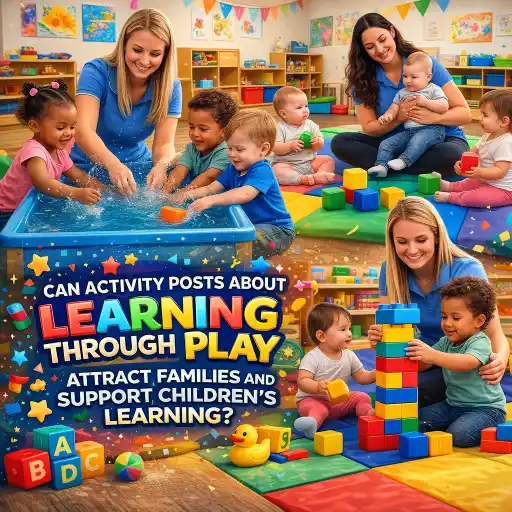
- 📸 Plan the moment: choose one small activity that shows learning. Keep materials simple and safe. (Reminder: state requirements vary - check your state licensing agency.)
- 📷 Document clearly: take 2–4 photos — close-up of hands, wide shot of the area, and one image of the finished work. Short video (10–30 seconds) showing action is great.
- ✍️ Write a helpful caption: include 1) the learning skill, 2) an easy how-to in 2 sentences, 3) one question families can ask at home. Example: “Counting shells — we sorted by size and counted. Try this at home: how many small shells can you find?”
- 🔗 Add links and resources: link back to a longer activity page on your website or to trusted guides like Play, Learn, Grow
 Buy Now $16.00.
 - ⭐ Call to action: ask parents to comment with photos or to sign up for a printable plan. That boosts shares and visits.
- 📅 Post regularly: aim for 1–3 activity posts per week. Schedule themes so parents see progression.
Use clear filenames and ALT text on your website images so search engines find your posts. Short step-by-step pages can become traffic magnets because families search for “easy sensory bin” or “simple preschool math game.” ChildCareEd and other sites offer great activity ideas you can adapt and credit, such as How to Create a Sensory Bin.
How do I keep play high-quality and avoid common mistakes?
High-quality play supports goals and still lets children lead. Follow these practical tips and watch for common pitfalls:
- ✅ Set a clear learning purpose: link the activity to a simple skill (counting, new words, science observation). Use this purpose when you write your post so families see the value. ChildCareEd offers curriculum ideas in Play, Explore, Grow.
- 🤝 Use guided play: step in with questions or props, but let children choose actions. The Cambridge review found guided play often matches or beats direct instruction on key skills (guided play meta-analysis).
- 📋 Document learning: take notes, photos, and samples. Use these for assessments and future posts. ChildCareEd shows how to design learning centers and document play in How to Design Centers.
Common mistakes and how to avoid them:
- ❌ Mistake: Making every activity a craft-for-craft’s-sake. Fix: Keep goals simple and repeat the same skill in different ways.
- ❌ Mistake: Over-directing play. Fix: Offer options and ask open-ended questions instead of giving step-by-step orders.
- ❌ Mistake: Poor documentation (blurry photos, no caption). Fix: Use natural light, short captions, and highlight the learning point.
When you avoid these pitfalls, your posts reflect real learning. Keep the tone positive, show children’s choices, and use hashtags like #curriculum and #children so families see learning and your program’s strengths.
https://www.childcareed.com/courses-play-learn-grow-1.html, Role of Play in Learning https://www.childcareed.com/courses-role-of-play-in-learning.html, Spicing Up the Classroom: Learning Centers https://www.childcareed.com/courses-spicing-up-the-classroom-learning-centers.html)
(Related ChildCareEd courses: Play, Learn, Grow Online Version, Role of Play in Learning, Spicing Up the Classroom: Learning Centers)
Conclusion
Activity posts are simple tools that do two jobs: they show learning to families and they bring people to your site or social page. To make them work:
- 🎯 Pick clear learning goals for each activity.
- 📸 Document with bright photos and a short how-to caption.
- 🔁 Post often and link back to longer plans on your site.
- 🤗 Stay true to play: support children, not replace their choices.
Start small this week: pick one sensory bin or dramatic play idea, take 3 clean photos, write a 2-sentence caption with the learning goal, and post. Track who comments or clicks. Over time, these activity posts become reliable traffic magnets and powerful proof of your quality. Good luck — you’re already doing meaningful work by centering #play and #learning for #children through thoughtful #activities and a strong #curriculum.
- CDA Infants/Toddlers: Health and Safety
- CDA Infants/Toddlers: Abuse and Neglect Reporting Requisites
- CDA Infants/Toddlers: Classroom Setup
- Creating Environments that Nurture Growth and Community
- CDA Infants/Toddlers: Brain Development and Gene Expression
- CDA Infants/Toddlers: Stages of Development
- CDA Infants/Toddlers: Smart Nutrition & Feeding
- CDA Home Visitor Subject Area 8 Part 1 Birth to 5
- Shoo, Germs! Don't Bother Me!
- Social Media's Magic in Early Childhood Education
- How motor skills shape child development and creative ways educators can foster them.
- CDA Certification en Español: Recursos y Consejos para Educadores Bilingües
- Actividades de Otoño Fáciles para Preescolares esta Temporada
- Where can DC early childhood educators find free or low-cost professional development?
- How can Oklahoma child care centers market smart and fill spots fast?
- How can Michigan child care centers market themselves and fill open spots easily?
- How can classroom activities support early learning?
- Canciones, juegos y preguntas de círculo para niños
- How Can North Dakota Providers Show Quality and Attract Families?
- How Can I Recruit and Keep Great Child Care Staff?
- How Can Child Care Providers Support Young Children’s Attention Span?
- How Can Child Care Providers Help Children Join Play Without Taking Over?
- How Can Everyday Classroom Problems Become Child-Led Investigations?
- How Can Child Care Providers Support Children Who Watch an Activity but Are Not Ready to Participate?
- How Can Child Care Providers Integrate Counting into Seasonal Art Activities?
- How Can You Help a Preschool Group Include the Child Who Is Often Left Out?
- How Can You Maintain Active Supervision During Indoor Play?
