Every preschooler brings a distinct set of interests, strengths, languages, and learning needs—and technology can sometimes help educators respond with greater precision. A focused next step is ChildCareEd’s Technology as a Classroom Tool  Buy Now $16.00, which helps providers understand media’s effects on development and plan guided uses that enhance lessons. Read on to consider where digital tools can add value, how to keep learning personal and inclusive, and when the most developmentally appropriate choice is to put the device away.
Why does personalized learning matter in preschool?
Personalized learning does not mean creating a separate lesson for every child or expecting each preschooler to follow a fixed digital pathway. It means noticing children’s different starting points, interests, strengths, languages, and support needs, then making thoughtful adjustments so each child can participate and grow. In preschool, those adjustments are often simple: offering different materials, changing a prompt, modeling a strategy, or giving a child more time to explore.
Technology may contribute to this work, but it is not a substitute for knowing children. A tablet cannot fully interpret a child’s hesitation, connect a new idea to family experience, or offer the responsive back-and-forth that develops through human relationships. Educators’ observations and relationships remain the foundation; digital tools are most useful when they extend that foundation rather than displace it.
Research and professional guidance point to a balanced approach. NAEYC describes appropriate uses of media as active, engaging, empowering, and connected to developmentally appropriate practice. ZERO TO THREE likewise advises educators to use preschool media intentionally, keep experiences brief, participate alongside children, and connect what they see on screen to real-world exploration. The central question is not simply “Is there technology?” but “What meaningful learning does it support—and what experience might it replace?”
Where can technology support individualized learning?
Well-chosen tools can offer additional ways for children to explore, express ideas, communicate, and revisit learning. A child who is captivated by insects might help take photos during a garden walk, then record observations or dictate a caption. A digital microscope or short, educator-selected video can help a small group look closely at a natural process that is difficult to observe in real time. The technology adds something when it sharpens children’s inquiry and leads them back to play, conversation, or hands-on investigation.
Digital documentation can also make learning more visible. Photos, short recordings, and digital portfolios can help children recall what they did, narrate their thinking, and share classroom experiences with families. NAEYC’s examples include children photographing block structures, recording stories about drawings, and creating digital books. These activities can be adapted for different communication abilities and interests, while an adult’s questions help turn a record into reflection.
Assistive and accessibility features may help some children participate more fully. Options such as audio, enlarged images, switches, or communication supports can provide another route into an activity when chosen in collaboration with families and relevant specialists. Technology should expand access—not isolate a child or presume that every child benefits from the same tool.
- Use a camera to document a child’s project, then invite them to describe or recreate it with physical materials.
- Offer a short visual or audio resource to investigate a child-generated question, followed by a related experiment or dramatic-play experience.
- Choose digital options that support the child’s communication, language, or access needs without making the screen the sole way to participate.
How can educators decide whether a digital tool is worth using?
Begin with the child and the learning purpose, not with a device or an app’s “educational” label. Before use, state what children might learn or express, why this tool is a good fit, and what they will do with an adult or peer. ZERO TO THREE notes that there is no national standard that automatically verifies an app as educational; providers need to inspect content and judge its relevance themselves.
A practical review considers more than whether children appear engaged. Does the tool invite children to make choices, create, communicate, or think—or mainly reward repeated tapping? Is the content understandable, inclusive, culturally respectful, and free of distracting advertising or purchases? Can staff supervise use and protect children’s images and information? Does it work for children with different abilities and home languages?
Try a tool with a small group and observe what children actually do. Look for evidence of learning beyond the screen: new questions, vocabulary used in play, a strategy explained to a peer, or an idea transferred to blocks, art, books, or outdoor exploration. If the activity mostly produces clicking without conversation or follow-through, revise the plan or choose another approach. For further professional learning on observing children and using those observations to inform individualized instruction, consider Preschool Assessments & Observations Buy Now $24.00.
- Purpose: What specific interest, skill, or access need does the tool support?
- Participation: Are children active contributors, with a teacher or peer available to interact?
- Quality and safety: Have you previewed content, privacy practices, advertisements, and accessibility?
- Transfer: What real-world conversation, play, or investigation will follow?
Where should technology stop so play and relationships stay central?
Technology should stop when it crowds out the experiences that are central to preschool learning: responsive relationships, peer interaction, movement, sensory exploration, rest, and open-ended play. A screen can show a butterfly emerging, but it cannot replace tending a garden, examining a real leaf, negotiating a pretend nature center, or talking with a teacher about what children notice. Those embodied experiences give children rich opportunities to connect ideas, language, and relationships.
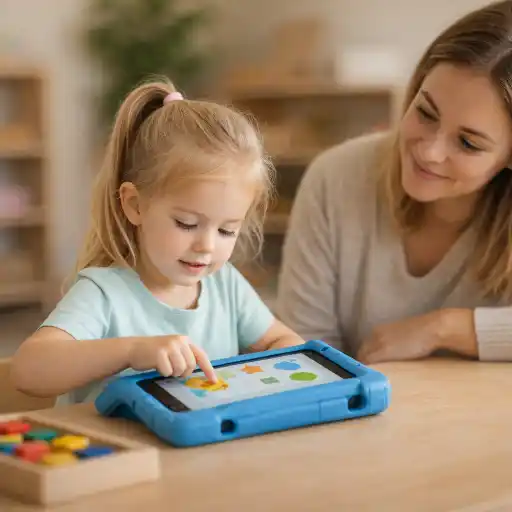
For preschoolers, screen experiences are most useful when they are brief, purposeful, and guided by an adult. Watch or explore together, pause for questions and predictions, and connect the screen to concrete materials or action. For example, after looking at a short clip about a bridge, invite children to build one with blocks and test what happens when they change its design. The digital moment becomes a prompt for collaboration rather than the whole lesson.
Set clear routines for starting and stopping, and avoid using media as a default way to occupy children or manage distress. Meals, rest, and high-value play periods are good opportunities to protect face-to-face interaction and healthy routines. Guidance for very young children is more restrictive than for preschoolers; use age-appropriate recommendations and your program’s policies when making decisions. State requirements vary—check your state licensing agency.
How can programs make personalized technology use inclusive and responsible?
Individualization must be grounded in equity. Children differ in access to devices and the internet outside the program, and families may have different languages, privacy preferences, and views about media. A classroom plan should never assume that every child has the same technology experience at home or that digital fluency is a prerequisite for learning. Offer non-digital ways to participate and ensure that technology does not become a gatekeeper to classroom activities.
Directors can create shared expectations that help staff make consistent, child-centered decisions. A brief media-use plan can identify approved tools, purposes, supervision expectations, privacy protections, family consent practices, and suitable alternatives. Staff can document what children learned—not simply how long they used a device—and review whether the tool supported interaction and access. Digital photos and portfolios should be stored and shared according to program privacy policies and family permissions.
Family partnerships strengthen these decisions. Explain why a tool was selected, how it connects to the curriculum, and what hands-on activity followed. Invite families to share children’s interests, home languages, accessibility needs, and preferences. Teacher-facing technology, such as family communication or planning tools, may also support educators’ work without increasing children’s screen exposure; RAND’s 2025 survey of public-school pre-K teachers found family communication platforms were commonly used, while professional learning about evaluating technology quality was less widespread. That finding reinforces the value of ongoing staff reflection and learning.
For a complementary focus on designing responsive experiences, explore ChildCareEd’s Planning for Every Child: Responsive Strategies in Action Buy Now $55.00. This course focuses on using observation and assessment to plan for children’s individual, cultural, and language needs—principles that matter whether a lesson uses a screen or not.
What common pitfalls should providers avoid?
A common mistake is assuming that a product labeled “educational” will automatically promote meaningful learning. Another is mistaking quiet attention or excitement for understanding. Children may enjoy a game without carrying its ideas into conversation or play. Previewing, observing, and reviewing the activity with colleagues can help providers distinguish engagement from the learning goal they intended to support.
Programs can also over-individualize by placing children alone with devices, missing chances for shared language, peer problem-solving, and adult scaffolding. Conversely, a one-size-fits-all app may not respond to an individual child’s interests, developmental readiness, or access needs. Use technology as one option in a varied curriculum and make adjustments based on children’s responses.
- 📷 Mistake: Taking photos or videos without clear family permission and secure storage. Better practice: follow written privacy procedures before documenting or sharing.
- Mistake: Extending screen time because children seem absorbed. Better practice: set a clear endpoint and prepare a transition into movement, play, or conversation.
- Mistake: Treating app progress as a complete assessment. Better practice: combine digital documentation with observation across everyday activities and family insights.
- Mistake: Choosing technology before identifying the learning need. Better practice: consider whether a book, conversation, material, or outdoor experience would serve the child better.
Technology is not inherently personalized; educators make it responsive through observation, intentional planning, inclusive choices, and warm interaction. When a tool does not support those aims, stopping is a professional decision—not a missed opportunity.
Conclusion: How can preschool technology remain helpful without taking over?
Technology can support personalized preschool learning when it helps children create, communicate, document, investigate, or access an experience in a way that fits their interests and needs. Its role is limited, however: it should not replace human relationships, hands-on play, movement, rest, or the educator’s informed judgment. The most useful digital moments are usually brief and adult-guided, with a meaningful bridge back to the classroom’s people and materials.
For each proposed use, ask three questions: What does this child need or wonder about? What does this particular tool add? What will children do with the idea away from the screen? Observe the result, invite family perspectives, protect privacy, and adjust when the experience is not serving its purpose. Personalized learning grows from seeing each child clearly; technology is one possible support, and knowing when to stop is part of using it well.
For a focused next step, ChildCareEd’s Technology as a Classroom Tool Buy Now $16.00 offers training on media’s effects on children’s growth and strategies for guiding technology use to enhance lessons. Providers seeking complementary learning may also explore Project-Based Learning for Children Buy Now $16.00 for hands-on inquiry, Building Equity: Inclusionary Practices in Preschool Buy Now $10.00 for inclusive practice, and Observations And Goal Setting in Childcare Buy Now $24.00 for translating children’s observed strengths and needs into thoughtful planning.
- CDA Preschool Credential with Portfolio Review
- Pediatric RSV First Aid & CPR/AED
- CDA Bridge Bundle: Family Child Care without Portfolio Review
- CDA Bridge Bundle: Infant/Toddler without Portfolio Review
- CDA Bridge Bundle: Preschool without Portfolio Review
- Texas Director Credential
- CDA Infants/Toddlers: Brain Development and Gene Expression
- CDA Infants/Toddlers: Stages of Development
- CDA Infants/Toddlers: Smart Nutrition & Feeding
- Supporting Families and Caregivers in Language and Literacy
- CDA Certification en Español: Recursos y Consejos para Educadores Bilingües
- The Future is Flexible: Online Childcare Certificates and Early Childhood Education
- 😫🧸 ¿Qué hacer cuando un bebé no quiere dormir la siesta en el aula?
- Recursos en Español sobre el Sueño Seguro del Bebé
- ¿Cómo empiezo mi certificación CDA en Florida en línea?
- Cómo Crear Tu Portafolio CDA Paso a Paso
- Proporciones de Cuidado Infantil y Tamaños de Grupo por Edad en Virginia (Guía Rápida para Centros y Hogares)
- Consejos de Supervisión Activa para Salones de Preescolar y el Juego al Aire Libre
- Retraso del Habla en la Guardería: Cómo Pueden Ayudar los Proveedores
- Cómo Trabajar en el Cuidado Infantil en Carolina del Norte: Requisitos y Pasos
- Capacitación CDA gratuita en Illinois
- Celebrando la amistad en el cuidado infantil durante el Día de los Mejores Amigos
- Canciones, juegos y preguntas de círculo para niños
- Can technology help preschool classrooms teach better?
- Should AI Toys Be in Your Daycare? What Providers Should Know
- ¿Todos los niños deben participar en el tiempo de círculo?
- AI Toys in Child Care: What Should Providers Check Before Accepting One?
- What Are Educational Apps Replacing in Preschool—and What Should They Replace?
- Personalized Learning in Preschool: Where Can Technology Help—and Where Should It Stop?
