Technology can help a child’s home language, interests, and family life become visible parts of classroom learning—when it serves relationships rather than replacing them. Explore Building Bridges for Dual Language Learners  Buy Now $16.00 to strengthen your knowledge of language-supportive practices, family communication, and culturally responsive classrooms; the ideas below offer practical ways to choose and use tools with care.
Why does intentional technology use matter for dual-language learners?
Children who are learning more than one language bring knowledge, relationships, and communication skills that may not yet be obvious in English. Thoughtfully selected technology can help educators recognize and build on these strengths: a child may tell a story in a home language, revisit a family recording, or connect a classroom topic to familiar experiences. The tool is not the learning goal; its value lies in the conversation, play, belonging, and expression it makes possible.
A digital story example from NAEYC shows how a preschooler used photographs and narration in Chinese and English to share his family life and interests with classmates. The story gave peers a meaningful way to connect with him. Similarly, a family recording or photo can invite children to ask questions, compare experiences, and share what they know.
Technology also calls for thoughtful limits. The OECD notes that digital experiences have varied potential benefits and risks, shaped by a child’s age, the activity, and the amount of use. For young children, keep digital experiences brief, purposeful, adult-supported, and balanced with movement, hands-on play, books, and face-to-face interaction. When chosen well, technology can amplify #language, #connection, #families, #play, and #belonging without taking the place of responsive teaching.
Which digital tools can teachers use in everyday practice?
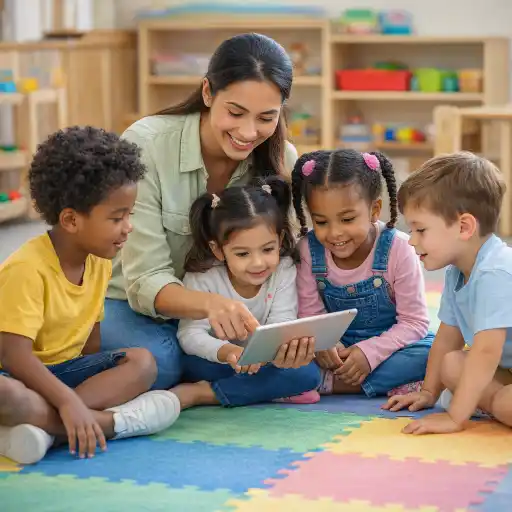
Start with familiar, accessible tools rather than searching for a specialized app. A classroom tablet or phone used by an adult can capture a child’s dictated story, record a family greeting, photograph a block structure, or play an audio version of a familiar song. These tools can make children’s ideas available for conversation and revisiting, while keeping the focus on active participation.
- Audio and voice recordings: Invite families to record a greeting, song, story, or pronunciation of a meaningful word. Replay it with children and invite them to respond, imitate, or add their own version.
- Photos and digital storytelling: Children can arrange images from a classroom investigation or family-approved home contribution and narrate what is happening in one or more languages.
- Digital books and read-aloud recordings: Use a well-chosen digital text as one option alongside print books. Pause to talk about images, characters, and new ideas rather than letting animations or sound effects dominate.
- QR codes: A code on a classroom display can link to a family-shared audio or video story, allowing children and educators to revisit it together.
- Translation and communication supports: Adult-facing translation tools may help staff prepare basic communications, but important conversations should use a qualified interpreter when needed and should be checked for clarity.
How can technology connect classroom learning with children’s home languages?
Use digital media to create authentic reasons for children to communicate—not simply to drill vocabulary or keep them occupied. A recording of a family member explaining how they travel to a market can become a starting point for exploring transportation, maps, movement, and community. Children might retell the story, build a route with blocks, draw a scene, or share a similar experience in their own words.
Family stories and recordings can help educators connect curriculum topics with children’s lived experiences. In a NAEYC example, educators used family audio and video stories with QR codes so preschool children could revisit family contributions in the classroom. The approach made family voices accessible and gave teachers opportunities to extend conversation. See NAEYC’s example of using families’ stories to link classroom content with children’s knowledge.
To make this work well, invite rather than require family participation. Offer choices such as a short voice message, a photo with a caption, a favorite word, or an in-person contribution. Ask which language families prefer and how they would like their materials used. Ensure that children can contribute without needing to speak English or appear on camera. A child might point, gesture, dictate, speak in a home language, or create an image; each is a valid way to participate.
- Connect a family contribution to an active classroom investigation or children’s interests.
- Use recordings as a prompt for shared conversation, pretend play, drawing, or hands-on exploration.
- Invite children to contribute in the language and communication mode that feels comfortable.
- Reflect family knowledge as an asset, avoiding assumptions that one language or experience represents an entire culture.
How can educators select and use digital media responsibly?
Before using a tool, name the learning purpose: Will it help a child express an idea, understand a story, connect with a peer, or make a family contribution accessible? If the same purpose can be met more meaningfully through a conversation, a book, or hands-on play, choose that approach. Technology is most useful when it supports interaction instead of displacing it.
Review content in advance, consider whether it is age-appropriate and accessible, and remain present while children engage. Turn off distracting notifications and unnecessary effects. Keep sessions short enough to protect time for active play, rest, and social interaction. Research on animated e-books suggests that repeated exposure to books in both digital and print formats can support vocabulary and comprehension, but findings do not mean that screens are automatically better than print or adult interaction. Use digital books selectively and keep the educator’s conversation central.
Privacy deserves equal attention. Obtain program-required permission before recording or sharing images, voices, or family stories. Use approved platforms, limit access to intended viewers, and follow your program’s data-retention and device policies. Avoid posting identifiable child or family content on public accounts. Families should know what will be recorded, where it may be shared, and how they can decline without affecting their child’s participation.
- Choose a clear, child-centered purpose before opening a device.
- Preview content and stay nearby to talk, respond, and extend learning.
- Protect children’s images, voices, personal information, and family preferences.
- Balance screen-based activities with conversation, outdoor time, books, and materials children can manipulate.
The aim is not to maximize device use, but to make each use purposeful, safe, and relational.
What common pitfalls should programs avoid?
Good intentions do not guarantee that a technology choice will be inclusive or developmentally appropriate. One frequent pitfall is treating an app as a substitute for interaction. A child may tap through a language game without having an opportunity to explain, negotiate, or use new words with another person. Build in turn-taking and conversation, and connect digital content to real materials or shared play.
Another mistake is assuming that a child’s English use tells the whole story of their language and development. A quiet response in English, code-switching, or a preference for listening may reflect the child’s language-learning process, context, or comfort—not a lack of knowledge. Talk with families and observe communication across settings, languages, and activities. Head Start’s professional learning guides emphasize culturally and linguistically responsive practices, intentional language support, and family engagement as parts of a program-wide approach.
Programs can also unintentionally create barriers by requiring families to download an app, provide a device, or submit a video. Offer low-tech alternatives and make contributions optional. A conversation at pickup, a printed photo, a spoken story, or a teacher-created recording can serve the same purpose. Finally, avoid translating sensitive or complex messages without appropriate support, and do not let automated translations make decisions about children or families.
- Do not use screens as the default solution for waiting, transitions, or behavior support.
- Do not treat one language sample or one digital activity as a complete assessment.
- Do not make family participation depend on technology access or English proficiency.
- Do not record or share content without informed consent and approved safeguards.
How can directors and teachers put a practical plan in place?
A clear plan helps staff use devices consistently and keeps children’s interests and rights at the center. Directors can begin with a short team discussion: Which learning or relationship goal will technology support? Which tools are already available? What privacy, accessibility, and family communication procedures apply? Agreeing on a few shared practices is more manageable than adopting multiple apps at once.
Teachers can pilot one activity, observe how children respond, and adjust. For example, invite a family to share a brief audio story related to a current project. Listen to it with a small group, pause for children’s comments, and then offer drawing, dramatic play, or construction materials to extend the idea. Notice who participates, what languages or modes of communication children use, and whether the experience creates meaningful peer or adult interaction.
Gather feedback from families and staff. Ask whether the process felt comfortable, whether the materials reflected the child accurately, and what would make participation more accessible. Keep documentation limited to what the program needs and protect it according to policy. State requirements vary - check your state licensing agency, and follow program policies and applicable privacy requirements for recording, storing, and sharing children’s information.
- Set a purpose, duration, supervision plan, and privacy process before an activity.
- Offer equivalent ways to participate, including non-digital options.
- Use observation and family feedback to evaluate whether the tool supports connection and learning.
- Share effective practices with the team and revisit them as children’s needs change.
For deeper professional learning, consider these English-language ChildCareEd courses, selected to complement practical technology use:
- Building Bridges for Dual Language Learners Buy Now $16.00 — strategies for supporting DLLs, language-building activities, and family collaboration.
- Technology as a Classroom Tool Buy Now $16.00 — guidance on using media and classroom technology thoughtfully in early childhood.
- Reading Aloud and Storytelling Buy Now $16.00 — interactive approaches that support language, comprehension, and literacy.
- Supporting Families and Caregivers in Language and Literacy Buy Now $16.00 — ways to partner with caregivers around children’s language and literacy experiences.
- Diversity, Equity, and Inclusion in Education Buy Now $16.00 — culturally responsive practices for welcoming diverse children and families.
Conclusion: What is the guiding principle for technology with dual-language learners?
Technology can help dual-language learners share ideas, hear family voices, revisit stories, and connect home experiences with classroom inquiry. The strongest choices are not necessarily the newest or most elaborate. They are the ones that help children communicate, participate, and feel recognized while preserving time for play, books, movement, and responsive relationships.
Begin with a clear purpose, select an accessible tool, protect privacy, and stay present as children engage. Treat home languages and family knowledge as assets, offer non-digital ways to participate, and observe whether the experience truly strengthens learning and connection. When technology supports—not replaces—human interaction, it can become a useful bridge between a child’s languages, relationships, and classroom community.
- Building Bridges for Dual Language Learners
- CDA Home Visitor Subject Area 3 Part 3 Birth to 5
- Building Bridges for Dual Language Learners: For Workforce Solutions
- Children at the Wheel: Emergent Curriculum
- CDA Bridge Bundle: Family Child Care without Portfolio Review
- Texas Director Credential
- Building Bridges for Dual Language Learners
- CDA Infants/Toddlers: Stages of Development
- Supporting Families and Caregivers in Language and Literacy
- Technology as a Classroom Tool
- Language for Our Littlest Learners: Building Communication From the Start
- CDA Certification en Español: Recursos y Consejos para Educadores Bilingües
- Apoyo en Español para Capacitaciones Grupales Presenciales y por Zoom en Cursos Selectos
- 10 Ejemplos de Cómo la Cultura Influye en el Desarrollo Infantil
- Retraso del Habla en la Guardería: Cómo Pueden Ayudar los Proveedores
- Cómo Trabajar en el Cuidado Infantil en Carolina del Norte: Requisitos y Pasos
- What Is Visual Learning and How Can New York Child Care Providers Use It With Toddlers?
- How Teachers Can Notice Early Signs of Language Delays
- Pasadena Playbook: Fresh Classroom Ideas Inspired by California’s 2026 Early Childhood Education Conference
- How can child care programs best support Dual Language Learners?
- How can I help quiet children feel comfortable participating?
- How Can Child Care Programs Create Inclusive Programs for Rural Communities?
- Belonging Activities for Kids Who Feel Left Out: Simple Ways to Help Them Join In
- What Would the Proposed Head Start Changes Mean for Children and Families?
- How Can AI Help Teachers Differentiate Learning Without Creating Three Separate Lesson Plans?
- AI Translation in Child Care: Helpful Shortcut or Risky Replacement for Human Communication?
- How Can Translation Technology Help Child Care Programs Bridge Language Barriers with Families?
- How Can Technology Support Dual-Language Learners in Early Childhood Classrooms?
