Can we teach young learners to be thoughtful, safe, and curious users of technology without turning every activity into screen time? If you want practical, classroom-ready strategies that meet training needs and improve everyday practice, start with a course like Technology as a Classroom Tool  Buy Now $16.00 — it shows how to use tech intentionally and gain useful training hours. For guidance on integrating these lessons with routines and behavior supports, see Classroom Management is Collaboration! Buy Now $16.00
What does "digital citizenship" mean for toddlers and preschoolers?
Digital citizenship for early learners is simpler than for older students: it’s about building habits and awareness that become foundations for later skills. For young kids this includes understanding basic safety (keep personal details private), kindness (how we treat people online), curiosity (asking questions about media), and creation (making short, expressive projects). In practice, early digital citizenship blends play-based media activities with adult guidance — not passive viewing. Use age-appropriate vocabulary and routines so concepts like privacy and kindness become part of daily classroom culture. Integrating media moments into play supports language, problem-solving, and social skills while reinforcing that tech is a tool for learning, not a babysitter. Embed #digital lessons into books, songs, and play so children see tech as part of learning with real people, not just a device. These basics set the stage for formal digital literacy and #citizenship as children grow. These interactions depend on warm, responsive connections between adults and children; see Building Relationships for practical strategies to strengthen those connections in your classroom.
Why does teaching digital citizenship in early childhood matter — and why now?
Young children are growing up in an environment saturated with screens and online content. Teaching digital citizenship early matters because habits formed now shape future behavior, safety, and learning. Early, guided experiences help children develop critical thinking about media, empathy online, and basic privacy habits. This reduces risk later and strengthens home‑center partnerships around healthy media use. Importantly, teaching these habits supports social-emotional learning: digital kindness links directly to classroom community and emotional regulation. State and program regulations may influence what you can do; state requirements vary - check your state licensing agency. Research and guidance from sources like Common Sense Education and PBS resources emphasize inquiry, co‑viewing, and hands-on follow-up rather than passive screen time. In short: early digital citizenship is prevention and preparation — it protects children, supports family communication, and improves instructional quality in the #classroom and beyond.
How can I teach developmentally appropriate digital citizenship in my classroom?
Start small and keep it concrete. Use short, adult-led tech experiences paired immediately with hands-on activities. Practical steps include:
- Set clear, simple rules: "We ask before we tap; we share only first names; we ask for help if something makes us uncomfortable."
- Co-view and narrate: sit with children during media time, ask questions, and link content to play and books.
- Use inquiry-based play: invite children to make a short photo story, dictate captions, or create a drawing inspired by a video.
- 📱 😊 Use short, interactive apps intentionally (5–15 minutes) and always follow with hands-on extension.
- Model and practice kindness online through role-play and puppets: what does being polite look like when we send a picture?
Embed lessons into routine activities (morning meeting, story time, art). For evidence-based approaches, pair classroom strategies with resources such as The Digital Frontier as part of your planning. These steps help children learn by doing, support language development, and let teachers assess understanding in authentic play contexts. Over time, you’ll build a clear set of classroom practices that promote #technology as a learning tool and strengthen children’s emerging digital skills.
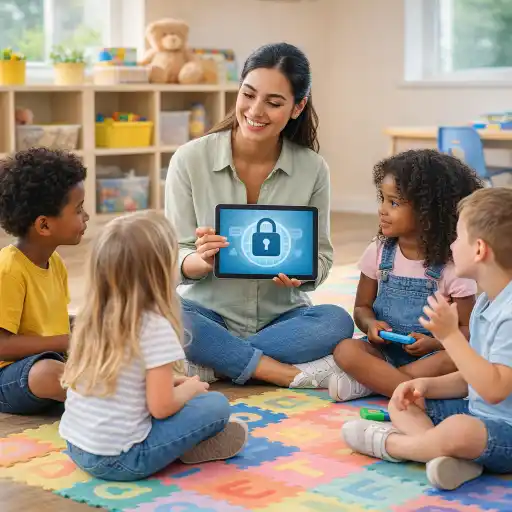
How do we balance screen time, privacy, and safety while building digital citizenship?
Balancing screen time and safety is central to teaching digital citizenship. Best practices include brief, goal-directed screen moments, strong supervision, and transparent data practices for devices and apps. Practical safeguards:
- Use one shared device for group activities and limit sessions to short blocks (5–20 minutes).
- Vet apps for ads, data collection, and age appropriateness; prefer ad‑free, educator‑facing platforms.
- Set device controls or kiosk mode and protect accounts with strong passwords; for program-level security consider Mobile Device Management (MDM).
- Teach simple privacy routines: never post full names, share addresses, or private photos without parent consent.
- Coordinate with families: create and share a one-page family media plan so home and classroom rules match.
For program-level guidance on privacy and device security, review ChildCareEd’s secure technology guidance as part of Secure Classroom Technology. And remember: state requirements vary - check your state licensing agency about data and device policies. Short, supervised, and purposeful tech use—combined with explicit safety rules—lets you teach #children how to use digital tools responsibly while minimizing risks.
What common mistakes should I avoid — and where can I go for training and support?
Common pitfalls and how to avoid them:
- Too much passive media (background videos): prefer interactive, teacher‑led moments and always follow with hands-on play.
- Unvetted apps that collect data or show ads: use a vendor checklist and prefer school-friendly platforms.
- Lack of adult involvement during media time: co‑viewing is essential for learning and safety.
- Inconsistent messages with families: share a simple family media plan and model practices at pick-up.
Where to get more training and practical tools (ChildCareEd courses):
- Technology as a Classroom Tool Buy Now $16.00 — intentional integration, screen time guidance, and practical classroom uses.
- Classroom Tools for Emergent Literacy Buy Now $25.00 — ideas to pair media with emergent literacy activities.
- Enhancing STEM Education for Infants and Toddlers Buy Now $16.00 — using simple tech for inquiry and problem solving.
- CDA Infant/Toddler Credential Buy Now $400.00 — for providers pursuing formal credentials who want deeper coursework on development and practice.
FAQ (brief):
- Q: At what age should we start? A: Begin with social rules and co‑viewing in infancy/toddlerhood and age‑appropriate media for 2–5 year olds.
- Q: How long should sessions be? A: Short and focused — 5–20 minutes depending on age and attention.
- Q: Do we need parental consent? A: If apps collect personal data for children under 13, follow COPPA rules and get verifiable consent.
- Q: How do we measure learning? A: Use observation, children’s creations (photo stories, drawings), and follow-up play to assess understanding.
Conclusion
Yes — early childhood educators can and should teach digital citizenship, but it must be developmentally appropriate, short, adult-led, and tied to play. Start with simple rules, co-viewing, inquiry-based projects, and partnerships with families. Use program safeguards for privacy and choose educator‑friendly apps. For practical training and immediate classroom strategies, explore Technology as a Classroom Tool Buy Now $16.00 and related ChildCareEd courses to build your skills and earn training hours while improving everyday practice. Teaching digital citizenship now helps children grow into safe, ethical, and curious users of technology in the future — and supports better learning today in the #classroom, with #technology that enhances—not replaces—real play and relationships.
- 45 Hour Preschool Methods and Materials
- Moving About the Classroom: Effective Transitions for Everyday
- Setting the Stage: Story Time
- CDA Bridge Bundle: Family Child Care without Portfolio Review
- CDA Bridge Bundle: Infant/Toddler without Portfolio Review
- CDA Bridge Bundle: Preschool without Portfolio Review
- Texas Director Credential
- Enhancing STEM Education for Infants and Toddlers
- Moving About the Classroom: Effective Transitions for Everyday
- The Vital Role of the CDA Credential for Virginia's Early Childhood Educators
- Best Practices for Classroom Technology Integration, Screen Time Management, and Online Safety
- Why ‘Why’ is the Magic Word: How Early Education Turns Questions into Quests
- CDA Certification en Español: Recursos y Consejos para Educadores Bilingües
- 🔍 ¿Qué ves cuando observas a un niño aprender?
- Cuáles Son las Señales de Alerta en el Desarrollo Infantil que Todo Educador Debe Conocer?
- Proporciones de Cuidado Infantil y Tamaños de Grupo por Edad en Nueva Jersey (Guía Rápida para Centros y Hogares)
- Retraso del Habla en la Guardería: Cómo Pueden Ayudar los Proveedores
- Cómo Trabajar en el Cuidado Infantil en Carolina del Norte: Requisitos y Pasos
- Cómo Ser Maestra de Preescolar en Illinois
- Cómo Ser Maestra de Preescolar en California
- Cómo Ser Maestra de Preescolar en Maryland
- Canciones, juegos y preguntas de círculo para niños
- Cómo simplificar la capacitación para sus empleados de daycare
- How can Michigan providers teach community and citizenship for the 250th anniversary?
- How to Balance Screen Time and Learning in the Classroom
- Can Early Childhood Programs Use Technology Responsibly to Enhance Learning?
- How can early childhood educators effectively teach digital citizenship to young children?
