Glossy laminated visuals can make a classroom schedule or picture cue harder—not easier—to see when light reflects directly into a child’s eyes. A brief eye-level glare audit helps you spot and reduce that barrier while preserving useful classroom supports; for a broader foundation in individualized adaptations, explore ChildCareEd’s Supporting Skill Development: Children with Special Needs  Buy Now $24.00 course. The course addresses accommodations, assessment, behavior, and functional skills, helping providers connect an environmental adjustment to each child’s individual needs.
Why does glare from laminated printables matter?
A printable may appear clear from an adult’s standing position yet become unreadable from a child’s seat. Glossy lamination can reflect windows, overhead lights, or task lamps, creating a bright patch that obscures pictures and words. For some children—particularly those with low vision or light sensitivity—glare may also contribute to discomfort, visual fatigue, or difficulty sustaining attention. Needs vary: one child may need brighter, focused illumination, while another benefits from softer, diffuse light.
When a child looks away, misses a cue, or asks for repeated directions, the cause may not be lack of interest or understanding. The visual setup itself may be getting in the way. Treating access as an environmental design question helps adults respond without blaming or singling out a child.
Glare checks can also improve everyday usability for the group. Clear visuals support children who are learning routines, communicating choices, or following steps in an activity. The goal is not to remove every laminated item, but to check whether the child can comfortably access the information from where it is actually used. General guidance on lighting for students with visual impairments recommends assessing individual needs and reducing reflections from shiny surfaces; adapt suggestions in consultation with the family and relevant specialists.
How do you conduct an eye-level glare audit?
Check the material in its real location, under the lighting conditions in which children use it. A quick inspection at setup is helpful, but daylight shifts, blinds move, and classroom activities change. Recheck at different times when you suspect a problem.
- Identify the visual: choose a laminated schedule, choice board, sign, or instruction card that children regularly need to see.
- Get to the child’s viewpoint: sit or crouch at the child’s usual position, including alternate seating or mobility-device positions when relevant.
- Look at the actual information: can you see the pictures, print, and symbols without a bright reflection covering them?
- Change your angle slightly: a small shift in head or seat position may reveal whether glare is coming from a window, ceiling fixture, or lamp.
- Repeat during likely glare periods: morning and afternoon sun can fall differently on the same wall or table.
Ask the child in a respectful, ordinary way, such as, “Can you see this picture from here?” Children’s responses and behavior are valuable evidence, but avoid making them responsible for diagnosing a vision concern. Record the location, time, light source, and what part of the visual is obscured. This makes the check repeatable and helps the team compare possible adjustments.
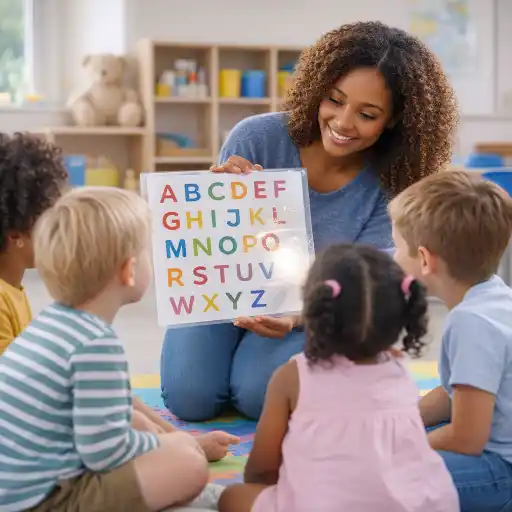
Which classroom changes can reduce reflections?
Begin with simple, reversible adjustments before replacing materials or changing the whole room. Move the printable away from a direct reflection path, alter its angle, or shift the child’s position if that is comfortable and consistent with the child’s preferences. Use blinds or curtains to soften direct sunlight when available, and consider whether a different display surface or non-gloss finish would preserve the visual while reducing reflection.
- Reposition the visual so windows or bright fixtures are not reflected toward the child’s usual viewing point.
- Test a matte sleeve, matte-finish print, or unlaminated copy if it is suitable for the item and can be kept clean and durable.
- Reduce glare on nearby desks and tables with a matte work surface or cover, where practical.
- Keep the visual at a useful height and angle; child eye level is a starting point, not a one-size-fits-all rule.
- Check contrast, print size, spacing, and background clutter as well as reflection.
✨ Try one change at a time, then check again from the child’s position. A fix that removes glare but makes the visual difficult to reach, safely maintain, or understand may not improve access overall. A child may also need an individualized adaptation recommended by a vision professional, rather than a general classroom adjustment.
How can teams make the audit child-centered and practical?
Children are experts in their own everyday experience, and even young children can indicate when a picture is hard to see, when a spot feels uncomfortable, or when another position works better. Offer choices without pressure: “Would you like this here or on the other side?” For children who communicate nonverbally, observe how they orient, approach, point, or respond to the visual, and check your interpretation with people who know the child well.
Work with families and, where appropriate, a Teacher of Students with Visual Impairments (TVI), eye-care professional, or other specialist. Lighting and visual access needs differ from child to child, so avoid assuming a single adjustment will suit everyone. A brief team note can capture the observation and follow-up:
- What was checked? Name the visual and activity.
- What was observed? Describe glare or obstruction objectively.
- What changed? Note the adjustment and when it was tested.
- What happened next? Record whether the child could access the cue more comfortably and independently.
Keep notes focused on access rather than labeling a child’s behavior. For example: “Afternoon sunlight reflected across the picture schedule; moved it to the side wall and checked again at the child’s seated height.” This creates a useful record for staff continuity and helps identify when a change needs further review.
What common mistakes should providers avoid?
One frequent pitfall is checking only from adult standing height. Another is assuming lamination is always helpful because it protects paper. A glossy finish may add durability but also create reflections, so judge the material where and how a child uses it. Likewise, do not assume that moving a child closer to a window will solve visibility; natural light can help some children and cause glare for others.
- Do not respond to missed visuals by immediately repeating directions louder or faster; first check whether the information is visible.
- Do not change several factors at once if you need to determine which adjustment helped.
- Do not remove a useful visual support without offering an accessible alternative.
- Do not treat a simple classroom audit as a vision assessment or substitute for specialist advice.
- Do not assume one child’s preferred lighting or seating arrangement applies to another child.
If the child continues to have difficulty seeing classroom materials, share objective observations with the family and follow program procedures for collaboration and referral. State requirements vary - check your state licensing agency. Program-specific requirements and individual support plans may guide documentation or accommodations.
Conclusion: What should you take away from a glare check?
To find out whether laminated printables reflect too much light, inspect them from the child’s real viewing position, at the times and in the activities when they are used. Look for bright reflections across essential pictures or print, then try a small, practical adjustment and observe whether access improves. A child’s feedback, family knowledge, and specialist guidance can help make the check more accurate and individualized.
Glare is only one part of visual access. Height, angle, contrast, print size, surrounding clutter, and lighting all matter. The key is to treat the environment as adjustable and the child as a partner in understanding what works. Small, well-observed changes can help classroom visuals serve their purpose: making routines, choices, and learning information easier for children to use.
Further learning: Which courses can support your practice?
These English-language ChildCareEd courses offer additional professional learning related to inclusion, accommodations, and responsive classroom practice:
- Supporting Skill Development: Children with Special Needs Buy Now $24.00 — strategies related to individualized accommodations and skill development.
- Special Needs: From Referral to Inclusion Buy Now $24.00 — an overview of inclusion, referrals, and environmental modifications.
- Access for All: Inclusion and the ADA Buy Now $16.00 — practical context on accessibility and inclusion in child care settings.
- Planning for Every Child: Responsive Strategies in Action Buy Now $55.00 — approaches to individualized planning and adapting environments for access.
- Classroom Setup for Child Care Buy Now $24.00 — intentional classroom arrangement, including welcoming and inclusive environments.
- 45 Hour Child Growth and Development
- 45 Hour Preschool Methods and Materials
- 1,2,3, Eyes on Me: Classroom Safety
- 45 Hour Infant and Toddler Methods and Materials
- 45 Hour School Age Methods and Materials
- CDA Bridge Bundle: Family Child Care
- Texas Director Credential
- 45 hour Growth and Development Birth-age 12 ONLINE
- CDA Certification en Español: Recursos y Consejos para Educadores Bilingües
- 💛🧩 ¿Cómo puedo hacer que mi enseñanza sea inclusiva para los niños con autismo?
- 10 Ejemplos de Cómo la Cultura Influye en el Desarrollo Infantil
- Proporciones de Cuidado Infantil y Tamaños de Grupo por Edad en Nueva Jersey (Guía Rápida para Centros y Hogares)
- Proporciones de Cuidado Infantil y Tamaños de Grupo por Edad en Virginia (Guía Rápida para Centros y Hogares)
- Cómo Trabajar en el Cuidado Infantil en Carolina del Norte: Requisitos y Pasos
- Las Mejores Ideas de Excursiones para Guarderías en Texas
- Celebrando la amistad en el cuidado infantil durante el Día de los Mejores Amigos
- Canciones, juegos y preguntas de círculo para niños
- Cómo simplificar la capacitación para sus empleados de daycare
- Printable Classroom Resources for Child Care Teachers
- Can your program go screen-free with engaging analog activities?
- Can Visual Supports Improve Behavior and Routines in Early Childhood Programs?
- How Can Child Care Providers Stay Organized Without Spending Hours Planning?
- How Can Printable Activities Save Teachers Hours of Prep Time?
- Which Low-Cost Printables Make the Biggest Classroom Impact?
- How Can Printable Routines Turn Morning Chaos into Classroom Calm?
- Why Are Reusable Printables a Smart Investment for Child Care Providers?
- Can Every Child See the Shared Game? How Can Providers Check Tabletop Sightlines?
- How Can You Check Whether Laminated Printables Create Glare at Children’s Eye Level?
